

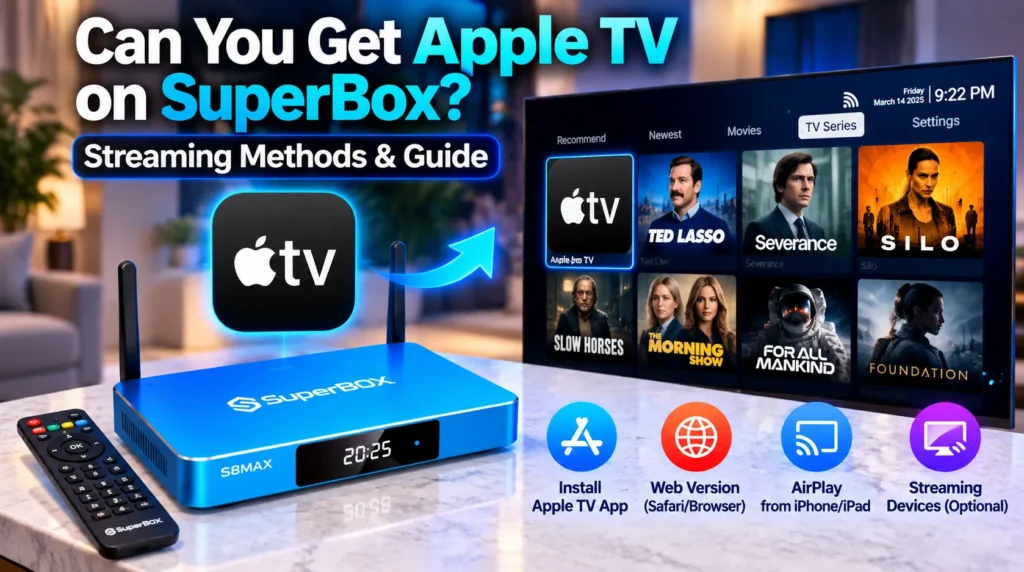
You can stream Apple TV programming and Apple TV+ original content on SuperBox, though the process differs from standard smart televisions. While the proprietary Apple TV app from the Google Play Store faces DRM compatibility restrictions on open Android systems, SuperBox users have several straightforward methods to watch Apple TV shows and movies.
| Access Method | What You Need | Subscription Required | Video Quality |
|---|---|---|---|
| Native Blue VOD Streaming | Pre-installed Blue VOD app | No subscription needed | 4K Ultra HD and 1080p |
| Prime Cinema Network Hub | Built-in network folders | No subscription needed | 4K Ultra HD and 1080p |
| AirPlay Screen Mirroring | iPhone, iPad, or Mac on same Wi-Fi | Existing Apple ID account | Up to 1080p Full HD |
| TV Bro Web Browser | Built-in browser + Apple ID login | Active Apple ID login | 1080p Full HD |
| Sideloaded Android TV APK | Downloader tool or USB drive | Active Apple TV+ subscription | Standard to High Definition |
Can you watch Apple TV content on SuperBox?
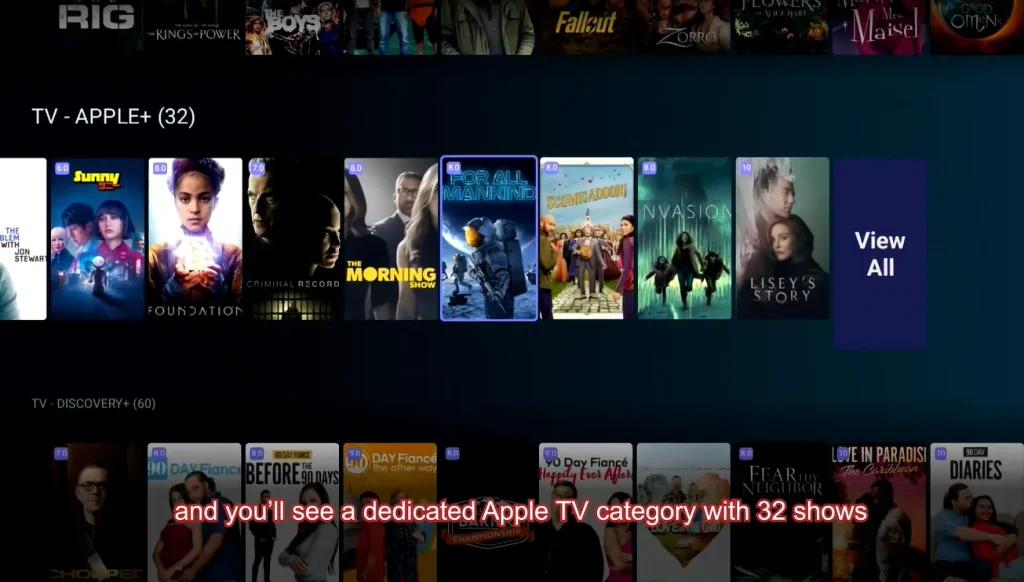
Yes, you can stream Apple TV original programming and movies on SuperBox. However, it helps to understand what “Apple TV” actually refers to:
- Apple TV streaming hardware — the standalone Apple TV 4K set-top box
- The Apple TV subscription app — the proprietary software client on Apple devices and select smart TVs
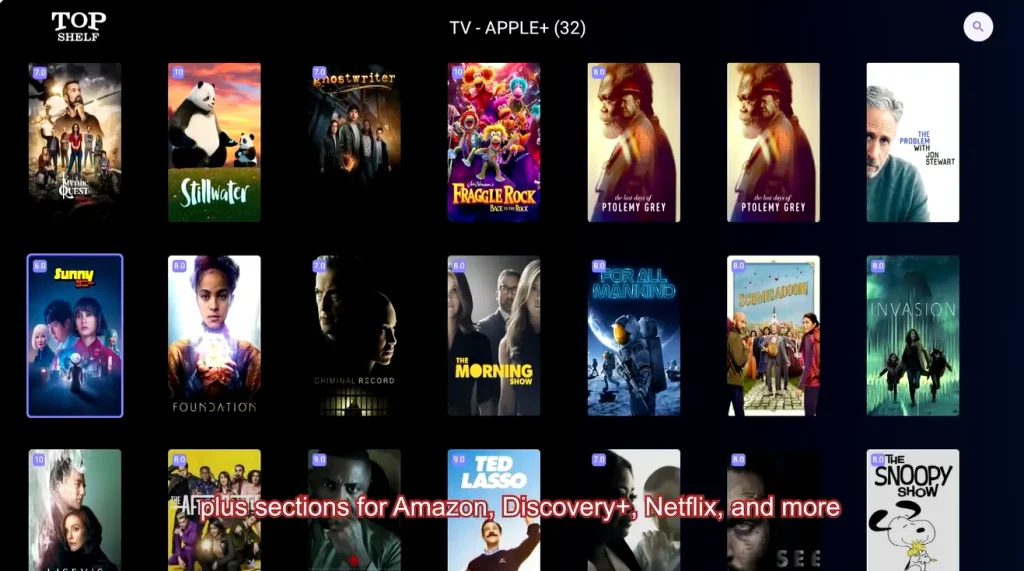
- Apple TV+ original content — acclaimed series like Ted Lasso, Severance, Foundation, The Morning Show, and Silo
If your goal is watching Apple TV+ original series, SuperBox handles this natively through Blue VOD. You do not need to install the official Apple app or pay a monthly Apple TV+ subscription. These titles are cataloged directly within the pre-installed on-demand libraries on your receiver.
If your goal is accessing your personal Apple ID purchase library, the official Android TV app in the Google Play Store is often flagged as incompatible due to Google Widevine DRM restrictions. However, wireless AirPlay receiver utilities and the TV Bro web browser provide seamless workarounds.
How do you watch Apple TV shows through Blue VOD and Prime Cinema?
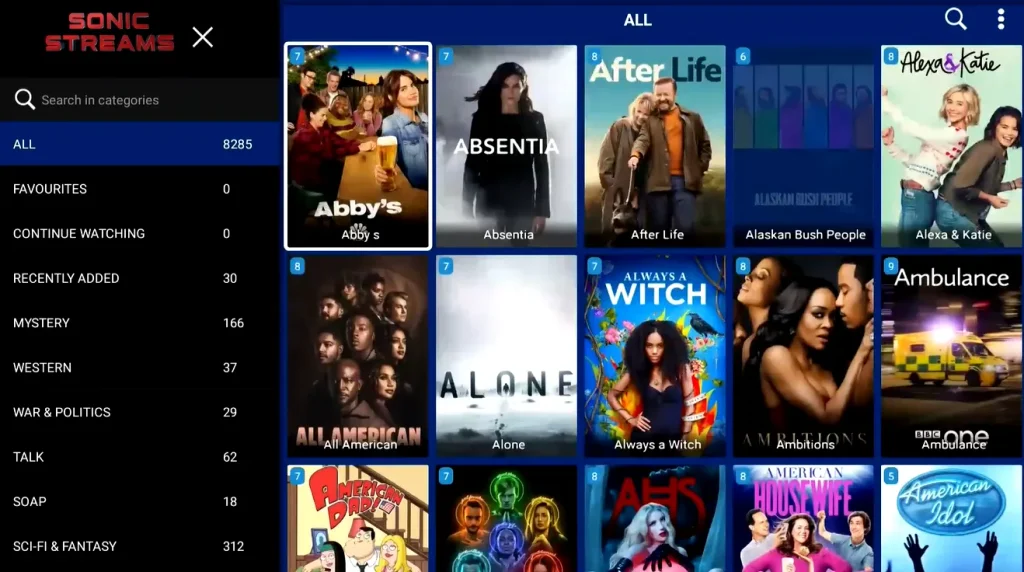
The simplest way to watch Apple TV productions on SuperBox is through the native on-demand apps pre-installed on the device. These apps index Apple TV+ original series alongside content from other major studios in a unified searchable library — at zero additional cost.
Finding Apple TV series inside Blue VOD
- Launch Blue VOD from the home screen using your remote
- Navigate to the TV Series section in the top menu bar
- Click the Search icon in the upper right corner
- Type the show title — such as “Ted Lasso” or “Severance” — using the on-screen keyboard
- Select the matching title to view available seasons and start streaming
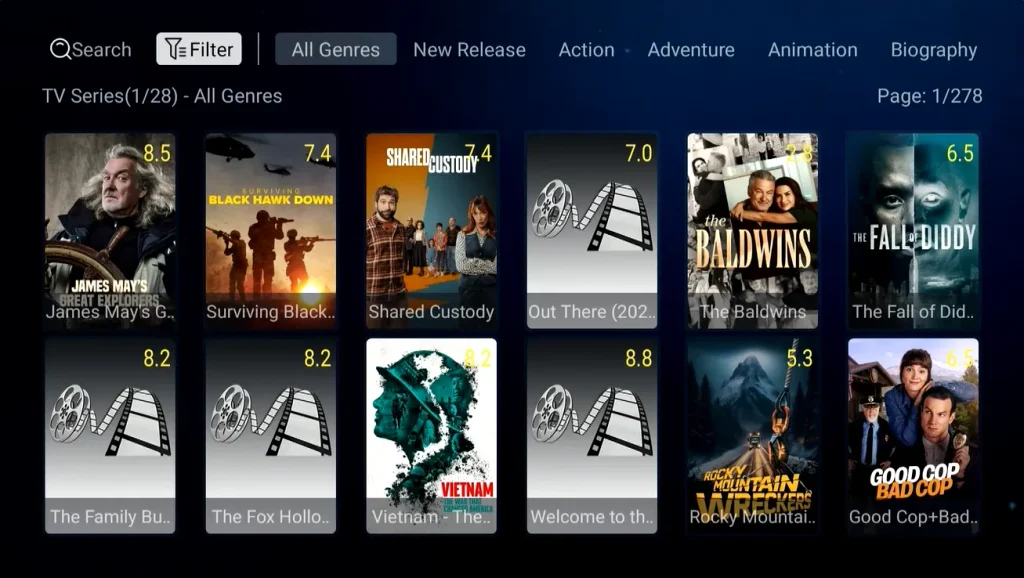
Browsing the dedicated Apple network folder in Prime Cinema
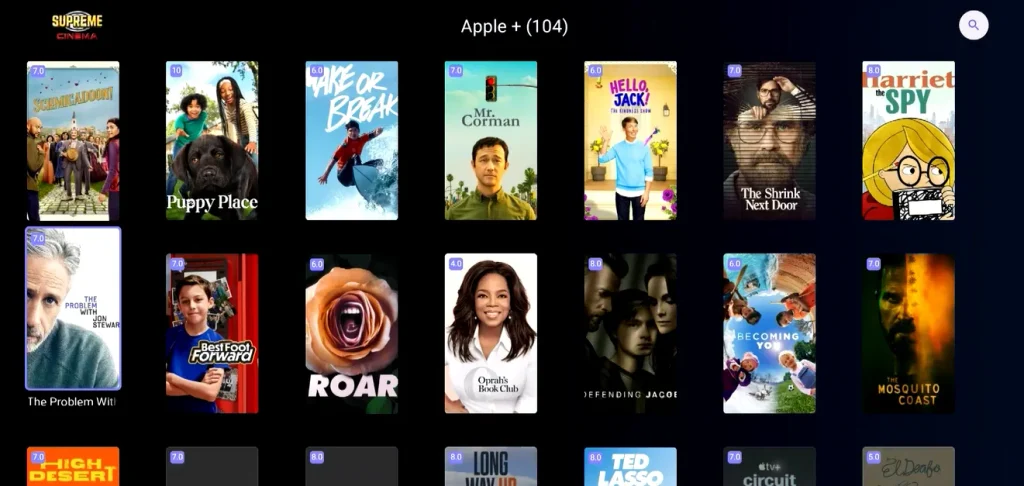
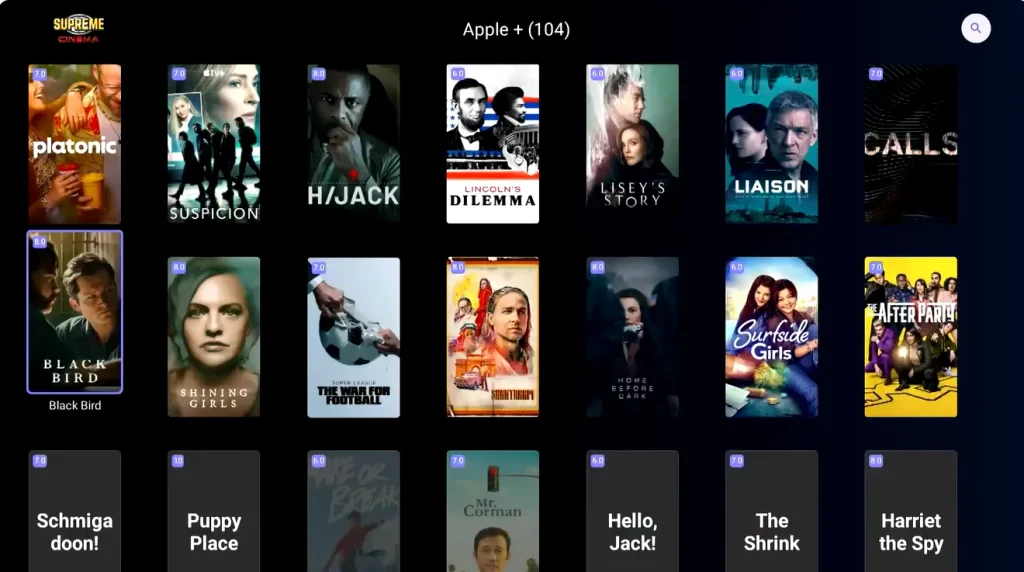
On flagship SuperBox hardware tiers, you can browse dedicated network folders within Prime Cinema. Navigate to the Series tab and scroll through the network category list to locate the Apple TV icon. Opening this folder reveals a curated collection of original series and exclusive films from Apple studios, complete with multi-language subtitle tracks.
How do you use AirPlay to cast Apple content to SuperBox?
If you already own an iPhone, iPad, or Mac with Apple TV+ or purchased Apple content, you can mirror your screen directly to SuperBox using wireless casting.
| Mirroring Tool | Installation | Primary Advantage | Best Use Case |
|---|---|---|---|
| AirScreen Utility | Google Play Store or APK | Native AirPlay protocol emulation | Streaming personal videos and purchased shows |
| CastReceiver App | SuperBox App Store | Lightweight background daemon | Quick mirroring without configuration |
| EShare TV Receiver | Pre-installed or sideloaded | Bidirectional remote control and casting | Presentations, photos, and media streaming |
How to set up AirScreen on SuperBox:
- Open the App Store or Google Play Store on your SuperBox and install AirScreen
- Launch AirScreen and grant the requested local network permissions
- Make sure both your SuperBox and Apple device are on the same home Wi-Fi network
- On your iPhone or iPad, swipe down from the top right to open Control Center, tap Screen Mirroring, and select your SuperBox
- Launch the Apple TV app on your Apple device, play your content, and it mirrors seamlessly to your TV in full resolution
How do you access Apple TV through the web browser on SuperBox?
For viewers with an active Apple TV+ account who prefer a direct login experience, accessing the platform through the TV browser is a clean option:
- Open TV Bro (the lightweight browser built for TV remotes) on your SuperBox
- Navigate to Apple’s official streaming website at tv.apple.com
- Log in with your Apple ID credentials and confirm two-factor authentication
- Bookmark the page on your browser dashboard for quick one-click access in future sessions
Google Chrome (available via sideloading on SuperBox) also renders the Apple TV web player effectively.
What are the limitations of sideloading the Apple TV app?
While you can sideload the Apple TV APK using the Downloader app or a USB drive, practical limitations exist:
- DRM restrictions: The official Apple TV app requires strict Google Widevine Level 1 hardware encryption. On devices with alternative DRM, video may default to standard definition or fail to play
- Navigation issues: The app expects standard Google TV launchers; some menu options require switching to mouse pointer mode on your remote
- Update friction: Updating the sideloaded app requires manually downloading and installing new APK files whenever Apple pushes server changes
Because of these drawbacks, watching through Blue VOD or using AirPlay is far more convenient for most users.
How does SuperBox compare to Apple TV 4K as a hardware option?
| Feature | SuperBox Flagships | Apple TV 4K |
|---|---|---|
| Operating System | Open Android AOSP | Closed Apple tvOS |
| Content Business Model | One-time purchase with included content | Hardware purchase requiring monthly subscriptions |
| Live Television | 1,800+ live channels included — Blue TV | Requires paid subscriptions like YouTube TV |
| On Demand Library | 20,000+ movies and series — Blue VOD | Pay-per-title or separate subscriptions |
| Physical Ports | Dual USB, HDMI, Ethernet, Optical, MicroSD | HDMI 2.1 and optional Ethernet only |
| Wi-Fi | Wi-Fi 6 dual external high-gain antennas | Wi-Fi 6 internal antenna array |
| Remote | Backlit Bluetooth remote with numeric pad and mute | Siri remote with touch clickpad |
| Cloud DVR | 7-day cloud Playback DVR — 86+ channels | Dependent on third-party live TV subscriptions |
While Apple TV 4K costs $129–$149 upfront, it provides no included programming. Stacking live TV services and streaming apps quickly totals over $150 per month. SuperBox includes live broadcasts via Blue TV, movies via Blue VOD, and a 7-day cloud Playback DVR with zero monthly fees.
How do you troubleshoot Apple TV streaming issues on SuperBox?
- Blue VOD buffering: Press Menu inside the app, open Settings, and toggle between Hardware and Software decode. Connect via wired Ethernet to eliminate Wi-Fi congestion. Clear app cache through Android Settings > Apps > Blue VOD if needed
- AirPlay connection drops: Ensure your iPhone/iPad and SuperBox are on the same Wi-Fi frequency — preferably 5 GHz. Pause any active VPN on either device, as VPN routing blocks local device discovery
- Black screen on sideloaded app: This typically indicates a Widevine DRM level mismatch. Switch to the Blue VOD or browser method instead
Frequently asked questions
Do I need a separate Apple TV box if I have a SuperBox?
No. SuperBox provides live channels, sports, movies, and Apple TV+ original series without extra hardware. A separate Apple TV box is only necessary if you require Apple HomeKit or Apple Arcade integration.
Can I install the Apple TV app from the Google Play Store?
The official Play Store listing may indicate incompatibility due to Apple’s DRM restrictions. However, you do not need the app — Apple TV original series are available inside the pre-installed Blue VOD application at no extra cost.
Are Apple TV+ originals available in 4K on SuperBox?
Yes. Popular Apple TV+ programs are available in 1080p and 4K Ultra HD inside Blue VOD, with streams automatically optimizing to your internet connection speed.
Can I rent or buy iTunes movies on SuperBox?
While you cannot access the iTunes store interface directly, virtually all blockbuster films available for rent on iTunes are already indexed and watchable in Blue VOD at no additional charge.
How do I cast from a Mac to SuperBox?
Install AirScreen on your SuperBox. Ensure both devices share the same Wi-Fi network. Click Control Center in your Mac menu bar, select Screen Mirroring, and choose your SuperBox from the list.


Reader Discussion & Verified Reviews
Real feedback, setup tips, and hands-on impressions from verified SuperBox owners and tech enthusiasts.