

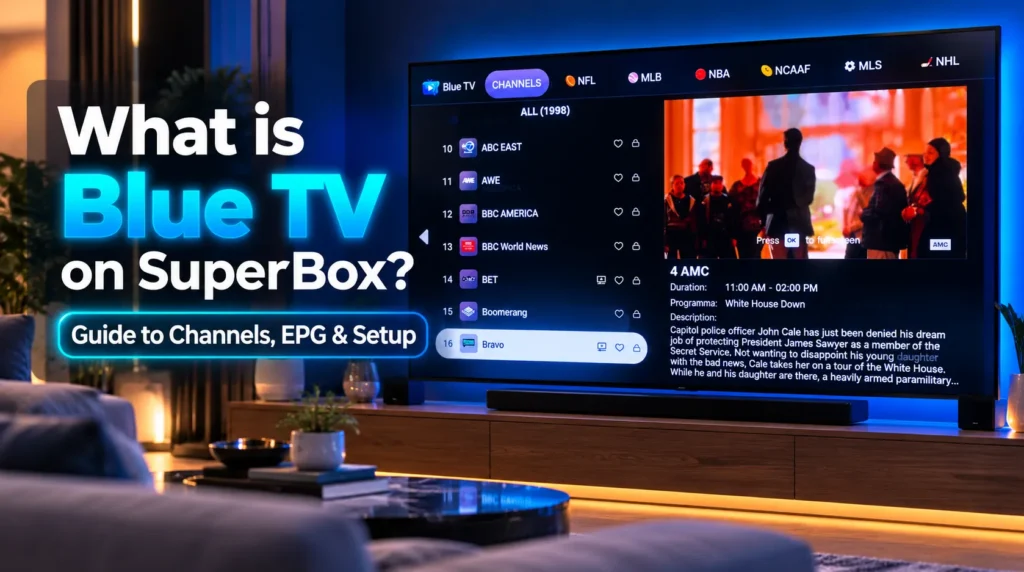
Blue TV is the proprietary live television streaming application supported via the official App Store on SuperBox Android TV hardware, providing access to over 1,800 live broadcast networks without recurring subscription fees or cable contracts. The application integrates an electronic program guide (EPG), live sports feeds, 24/7 news broadcasts, pay-per-view specials, and regional channels into an interface optimized for television remotes.
| Core Feature | Blue TV Specification | Viewer Benefit |
|---|---|---|
| Channel Catalog | Over 1,800 live broadcast networks | Eliminates multiple cable and streaming packages |
| Program Guide (EPG) | Dual layout — Classic grid and timeline | Effortless schedule tracking across channels |
| Voice Search | Bluetooth remote voice recognition | Instant channel tuning by speaking network names |
| Favorite Management | One-touch bookmarking with yellow star indicator | Rapid access to frequently watched stations |
| Channel History Recall | Page Up / Page Down cycling through last 10 channels | Quick switching between concurrent live sports games |
| Stream Diagnostics | Real-time network speed monitor overlay | Live bandwidth troubleshooting during broadcasts |
| Video Decoding Modes | Hardware and Software decoding engines | Smooth playback tailored to your connection |
| Cloud Integration | Direct interoperability with 7-day cloud Playback | Rewind missed programming across major networks |
What is Blue TV?
Blue TV is the flagship live television software engineered for SuperBox streaming consoles. Unlike generic IPTV apps requiring manual playlist configurations, Blue TV delivers a turnkey television experience straight out of the box.
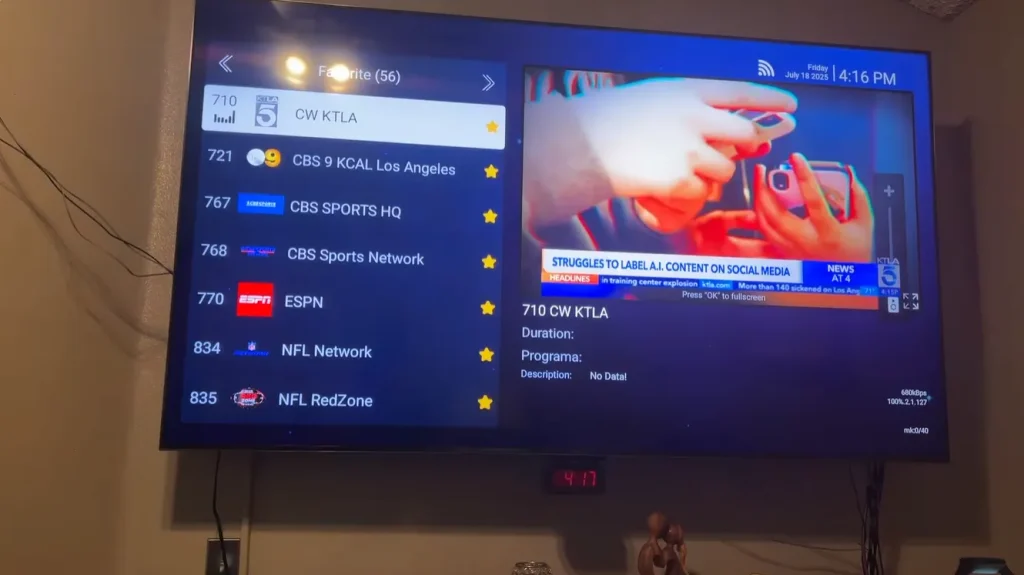
The app functions as a digital set-top receiver operating over broadband internet. Launching the software connects your console to managed streaming servers that capture, transcode, and rebroadcast national and international television feeds 24 hours a day. Video streams render within 1.5 seconds of channel selection. The interface mimics familiar cable and satellite guides, allowing users to browse categories, check schedules, and tune channels effortlessly.
Blue TV uses device-level MAC address authentication — no user accounts, no credit cards, no monthly fees required.
What channels are available in Blue TV?
The channel directory inside Blue TV organizes over 1,800 live stations into clear categories:
| Programming Category | Channel Count | Featured Highlights |
|---|---|---|
| National Broadcast Networks | 120+ regional feeds | ABC, CBS, FOX, NBC, and PBS affiliates across time zones |
| Sports Networks and Packages | 250+ dedicated feeds | ESPN, FS1, NFL Network, NBA TV, MLB Network, NHL, RSNs |
| Round-the-Clock News | 60+ global networks | CNN, Fox News, MSNBC, CNBC, Bloomberg, BBC World, Weather |
| Pay-Per-View and Combat Sports | 50+ event feeds | Boxing, MMA events, wrestling specials, motorsport |
| Premium Cinema and Drama | 180+ commercial-free feeds | HBO, Cinemax, Showtime, Starz, MGM+, TCM |
| Kids and Family Programming | 80+ entertainment feeds | Disney Channel, Nickelodeon, Cartoon Network, Discovery Family |
| International and Regional | 600+ international feeds | Canadian, Latin American, European, and Asian channels |
Sports coverage and regional sports networks
Sports fans represent one of the largest groups switching to SuperBox. Streaming bundles often drop regional sports networks (RSNs) or charge expensive add-ons. Blue TV combines national channels like ESPN and FS1 with regional sports networks across major markets, letting fans watch hometown teams without blackout restrictions or extra monthly fees.
Pay-per-view events and combat sports
Major combat sports events cost $70–$100 per event on cable PPV. Blue TV includes dedicated event channels that stream championship boxing, MMA, and motorsport events without any added fees.
How do you navigate Blue TV using the remote?
Blue TV is optimized to interact with the SuperBox Bluetooth voice remote. The interface offers several useful shortcuts:
- Voice search: Hold the microphone button, speak the network name — such as “ESPN” or “Fox News” — and the channel filter activates instantly
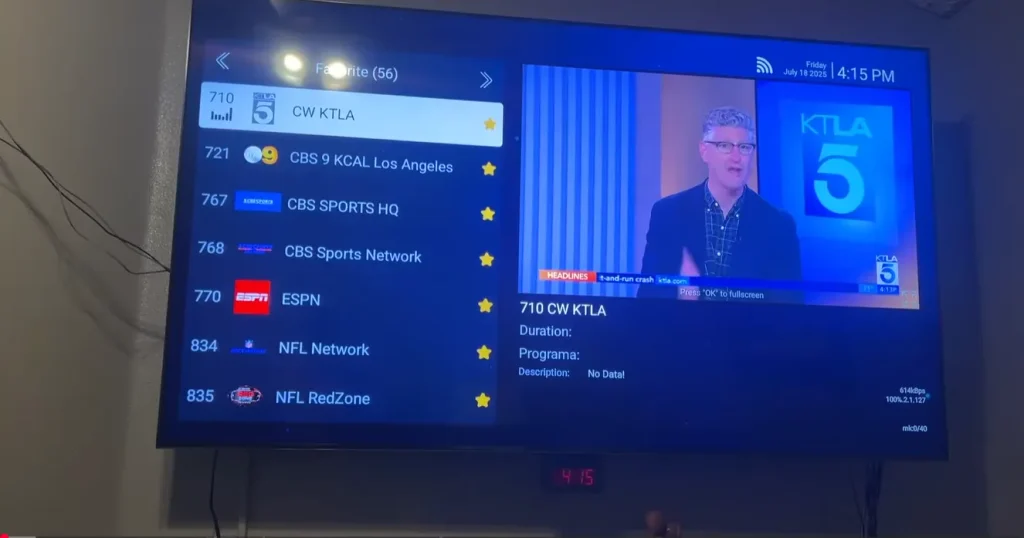
- Bookmarking favorites: Highlight any channel and hold OK for two seconds until the star turns yellow, saving it to your dedicated Favorites category
- Direct numeric tuning: Type channel numbers directly using the remote keypad to jump to any channel without browsing menus
- Channel history recall: Press Page Up or Page Down to cycle through the last ten channels you viewed — ideal for switching between live games
The embedded channel preview window also shows your current channel playing smoothly while you browse the guide. Video switches only when you press OK, then pressing OK again expands it to full screen.
How does Blue TV differ from Blue VOD, Playback, and Backup TV?
| Application | Primary Function | Content | Key Strength |
|---|---|---|---|
| Blue TV | Live linear television | 1,800+ live networks — real-time 24/7 | Fast EPG browsing with sports and news |
| Blue VOD | On-demand movies and series | 20,000+ titles — daily updates | Commercial-free movies and complete shows |
| Playback | 7-day cloud DVR catch-up | Rolling 168-hour archive — 86+ channels | Rewind past broadcasts without setting a timer |
| Backup TV | Redundant live broadcast mirror | Synchronized with primary servers | Alternate feed path during maintenance windows |
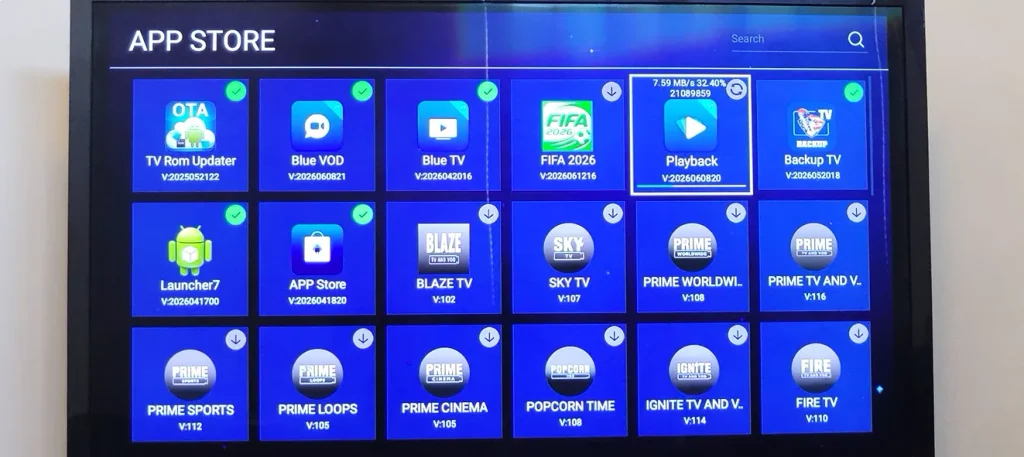
Blue TV handles live broadcasts. If you miss a game or show earlier in the week, launch the Playback App to replay it from the cloud archive. Blue VOD handles on-demand movies and series.
How do you record live TV to external storage?
While Playback archives content for seven days in the cloud, viewers who want to keep recordings permanently can record directly from Blue TV to a USB drive:
- Insert an external USB 3.0 flash drive or portable SSD into the blue USB port on your SuperBox
- While watching any live channel in Blue TV, hold the OK button for two seconds to open the player menu
- Select Start Recording — a red REC indicator confirms the stream is writing to your drive
- Hold OK again to stop recording safely when finished
How do you install, update, and troubleshoot Blue TV?
Blue TV can be installed or reinstalled directly from the built-in SuperBox App Store with a single click. When updates are available, Blue TV prompts you to update upon launch, or you can check the App Store tile for an update badge.
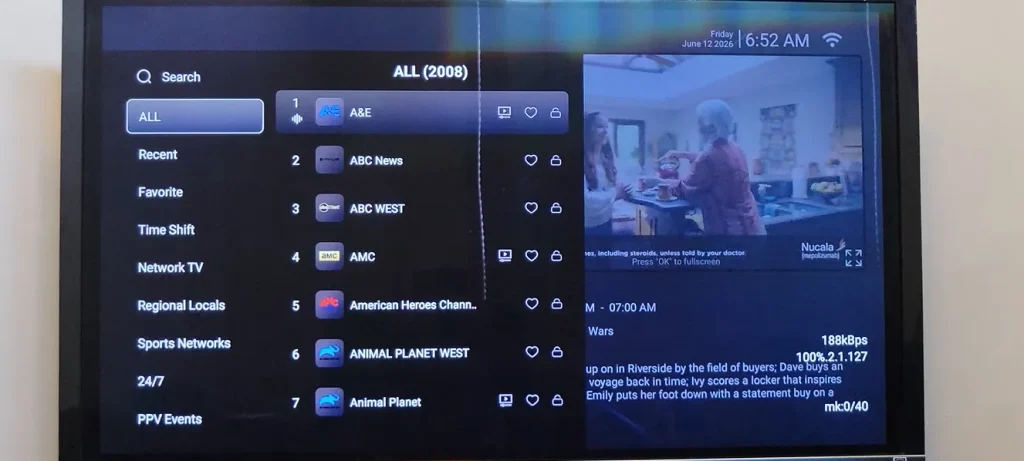
If you encounter streaming issues, apply these quick fixes:
- Buffering: Press Menu inside Blue TV, open Settings, and toggle between Hardware and Software decode modes. Connecting via wired Ethernet eliminates wireless interference entirely
- Cache buildup: Open Android Settings, navigate to Apps, select Blue TV, and tap Clear Cache. Avoid selecting Clear Data unless you want to reset all channel favorites
- Black screen on channel: Switch to an adjacent channel for five seconds and return to force a stream re-handshake. If the issue persists, switch to Backup TV for an alternate server mirror feed
Frequently asked questions
Does Blue TV require a monthly subscription?
No. Blue TV requires no monthly subscriptions, annual renewal fees, or account registrations. Server access is authenticated through the device MAC address, which is linked to your SuperBox hardware at the time of purchase.
How many live channels are available in Blue TV?
Blue TV provides access to more than 1,800 live broadcast networks, including major commercial networks, sports channels, regional sports networks, 24/7 news, and international broadcasts.
Can I install Blue TV on a Firestick or smart TV?
No. Blue TV is proprietary software engineered exclusively for official SuperBox hardware. It requires firmware-level security keys and hardware MAC validation present only on genuine SuperBox motherboards. It cannot be sideloaded or installed on generic Android devices.
Can I save my favorite channels in Blue TV?
Yes. Highlight any channel in the guide and hold the OK button on your remote for two seconds until the star indicator turns yellow. All starred channels then appear in your dedicated Favorites category for fast access.
What internet speed does Blue TV need for smooth streaming?
A steady download speed of 25 to 30 Mbps is recommended for standard HD streaming. For high-bitrate live sports in 4K resolution, a connection of 50 Mbps or higher over wired Ethernet provides the best stability.


Reader Discussion & Verified Reviews
Real feedback, setup tips, and hands-on impressions from verified SuperBox owners and tech enthusiasts.