

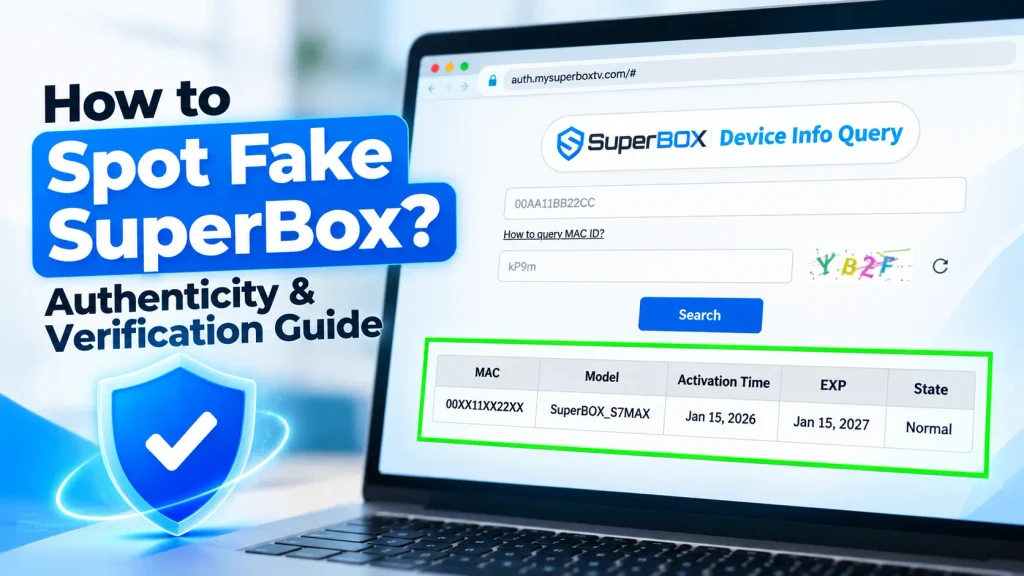
An authentic SuperBox is certified Android TV hardware featuring verifiable MAC address whitelisting, holographic security packaging, and official warranty protection.
High market demand has produced counterfeit Android TV clones across unauthorized marketplaces. Sourcing a cloned device results in thermal overheating, malware vulnerabilities, and sudden server lockouts.
This guide provides an end-to-end inspection walkthrough to help you identify authentic hardware and verify authorized reseller credentials before purchasing.
Summary
- Portal verification: Check MAC addresses and serial numbers directly on auth.mysuperboxtv.com.
- Packaging security: Authentic retail boxes feature holographic tamper seals and barcodes starting with SBX.
- Thermal chassis: Genuine consoles use aerospace aluminum running at 38.5°C instead of cheap plastic.
- System integrity: Authentic devices boot into clean SuperBox OS with official App Store access.
- Hardware legality: SuperBox is fully compliant, legal Android TV hardware with FCC and CE certifications.
- Authorized sourcing: Legitimate purchases require verifiable distributor codes like SP20250928003.
Physical packaging and exterior hardware verification
Spotting counterfeit hardware begins before powering on the television console. Legitimate units adhere to strict factory packaging and labeling standards.
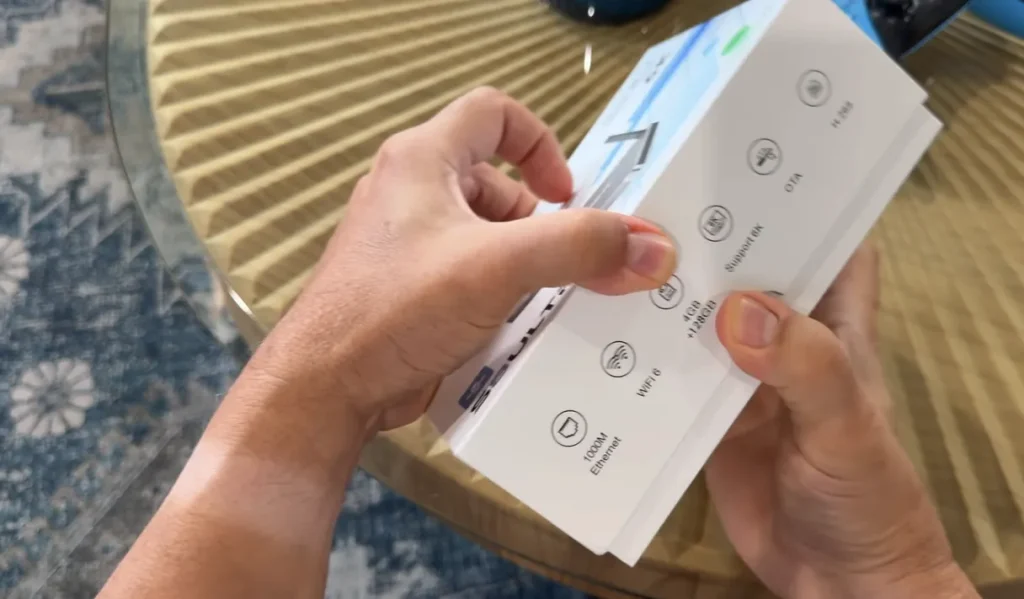
Use this physical packaging checklist to inspect your delivery:
- Retail box printing quality: Authentic packaging uses rigid cardstock with sharp, high-contrast graphics and deep blue color tones. Counterfeits use flimsy cardboard with washed-out, yellowish printing.
- Holographic security seal: Inspect the box opening for a shiny silver tamper-evident sticker. Clones omit this seal or use flat metallic stickers without holographic depth.
- Serial barcode format: Check the exterior barcode sticker on the bottom of the packaging. Authentic serial numbers typically start with the official SBX prefix.
- Bottom label specifications: Examine the label affixed to the underside of the console. The MAC address, serial number, and model designation must match the packaging label exactly.
- Regulatory markings: Genuine hardware displays crisp, laser-etched FCC, CE, and RoHS compliance icons. Counterfeit units feature blurry or missing regulatory stamps.
Hardware build quality and thermal chassis differences
Physical build quality reveals immediate discrepancies between genuine manufacturing and cheap clone electronics.
Authentic flagship models like the SuperBox S8 Ultra utilize an aerospace-grade aluminum chassis. This metallic casing acts as a passive heatsink, maintaining an optimal operating temperature of 38.5°C during extended 4K streaming.
Counterfeit clones cut production costs by substituting aluminum with cheap, hollow plastic. These knockoff boxes weigh under 150 grams, compared to 380 to 420 grams for an authentic unit.
When operating under full video decoding loads, clone consoles quickly spike to 65°C or higher. Severe thermal throttling causes sluggish navigation, audio stuttering, and random system reboots.
Use this component checklist to verify external accessories:
- Voice remote control: Genuine consoles include the ergonomic RC200 voice remote with Bluetooth connectivity and rubberized buttons. Clones supply generic infrared remotes with stiff plastic buttons.
- Power adapter certification: Authentic power bricks display UL, FCC, and CE certification marks with stable 5V 2A or 5V 3A ratings. Fake adapters run dangerously hot and pose electrical hazards.
- Port alignment and finish: HDMI, Gigabit LAN, and USB 3.0 ports on genuine devices sit perfectly flush with the exterior chassis. Clones feature loose, misaligned connector cutouts.
System firmware and software authentication checks
Examining the operating system provides definitive proof of internal authenticity. Counterfeit manufacturers flash cheap Allwinner or Rockchip boards with generic custom firmware.
SuperBox consoles operate on custom-engineered Android TV firmware compliant with international standards. To review federal consumer protections and hardware rights, read our breakdown on is SuperBox legal.
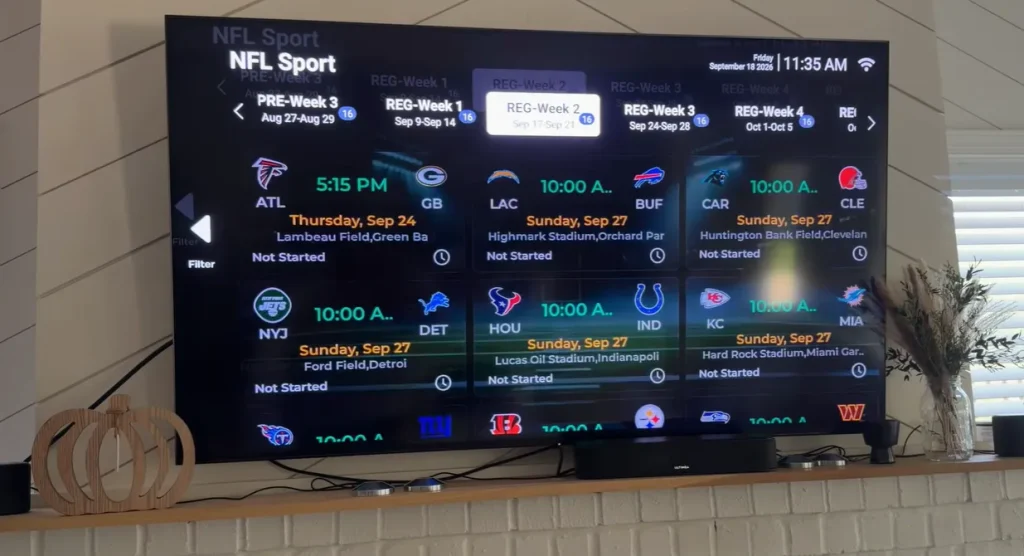
Follow this software verification checklist from the main interface:
- System model confirmation: Navigate to Settings, select About, and check Model Number. The displayed string must match official hardware releases such as S7 Ultra or S8 Ultra.
- Proprietary launcher interface: Authentic devices boot directly into the custom SuperBox launcher displaying official system menus and weather widgets. Clones boot into generic tablet skins.
- Official App Store access: Authentic consoles feature the dedicated SuperBox App Store containing pre-authorized Blue TV, Blue VOD, and Playback applications.
- Absence of suspicious sideloads: Fake consoles often display pop-up prompts urging users to sideload APKs from untrusted download URLs. Authentic units update securely via official OTA channels.
- Cybersecurity clean bill: Cybersecurity research from Kaspersky and Plume Labs warns that knockoff Android boxes frequently harbor hidden proxy malware. Authentic firmware contains zero malicious background daemons.
Step-by-step MAC address and serial number verification
Step 1. Locate your hardware MAC address and serial number
Turn your console upside down and locate the barcode sticker on the bottom casing. Note down the twelve-character MAC address and the accompanying serial number.
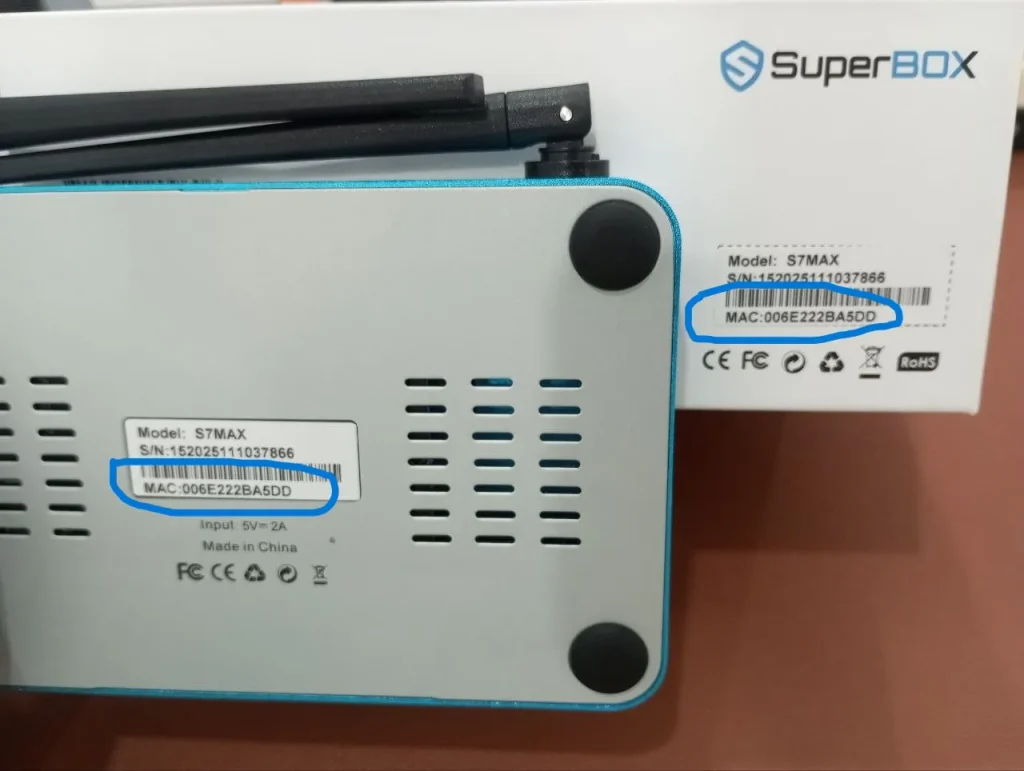
Alternatively, power on the device, open Settings, select Device Preferences, and click About. Scroll down to Status to display the active hardware MAC address on screen.
Ensure that the internal software MAC address matches the printed casing sticker exactly. A mismatch indicates tampered or refurbished hardware.
Step 2. Access the official manufacturer authentication portal
Open an internet browser on your smartphone or computer and navigate to the official verification portal at auth.mysuperboxtv.com.
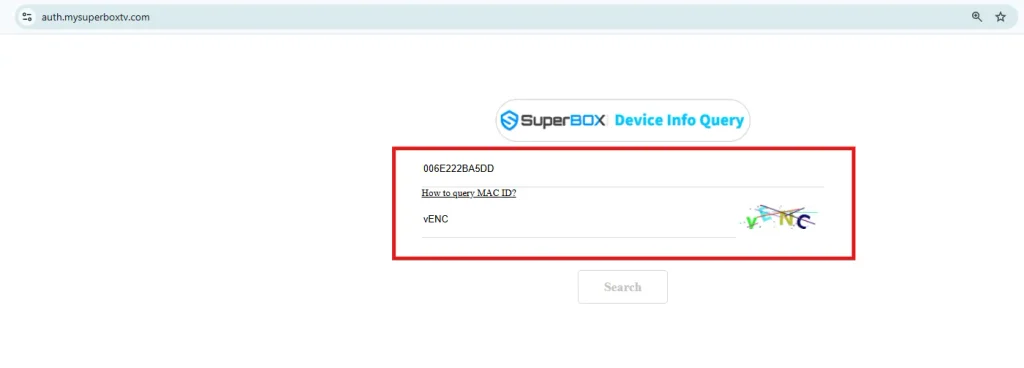
Locate the Device Info Query section on the verification dashboard. Select your hardware series from the drop-down menu.
Enter your unique MAC address and the on-screen security captcha code. Click Search to query the database.
Step 3. Interpret query results and warranty activation status
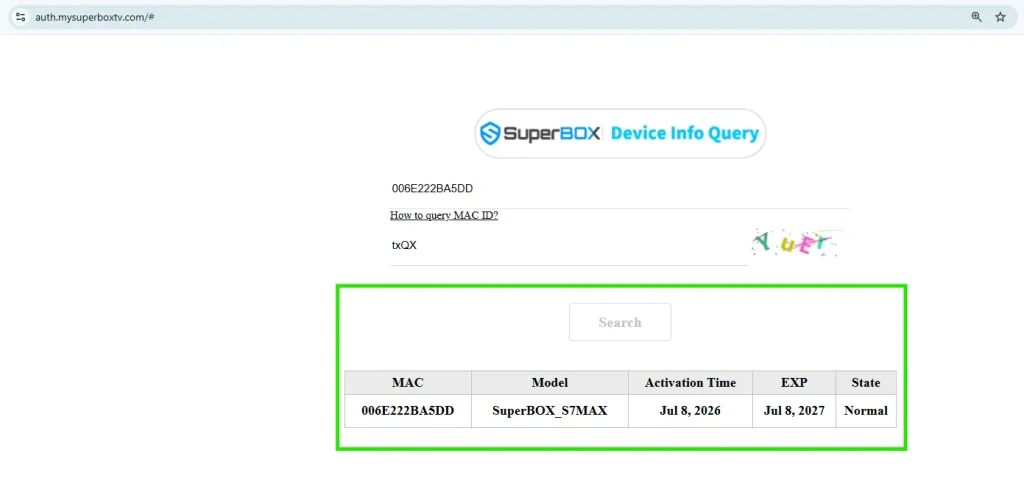
The authentication server will immediately return your console verification profile:
- Normal authorization: Confirms genuine hardware with official factory registration.
- Warranty expiration date: Displays your active 1-year hardware replacement warranty coverage.
- Original activation timestamp: Verifies whether the console is brand-new or previously used.
- Unrecognized serial notification: Indicates a counterfeit clone lacking manufacturer certification.
- Device Forbidden warning: Alerts you that the hardware has been blacklisted due to unauthorized retail channels.
Comparison between genuine SuperBox and counterfeit clones
Evaluating hardware specifications and warranty guarantees highlights significant differences between legitimate units and knockoffs.
| Evaluation Criteria | Authentic SuperBox Hardware | Counterfeit Clone Units |
|---|---|---|
| Central Database Verification | Verified on auth.mysuperboxtv.com | Returns unrecognized serial error |
| Thermal Chassis Material | Aerospace aluminum operating at 38.5°C | Cheap plastic overheating to 65°C+ |
| Internal System Firmware | Clean Android TV OS with OTA updates | Modified ROM with potential proxy malware |
| Remote Control Hardware | RC200 Bluetooth voice command remote | Cheap generic infrared clicker |
| Manufacturer Warranty | 1-year 1-to-1 hardware replacement | Zero coverage, claims rejected |
| Streaming Application Access | Pre-authorized Blue TV and Blue VOD | Broken third-party apps or blocked servers |
How to verify an authorized SuperBox dealer before ordering?
The most effective way to avoid counterfeit hardware is confirming dealer authorization before entering payment details.
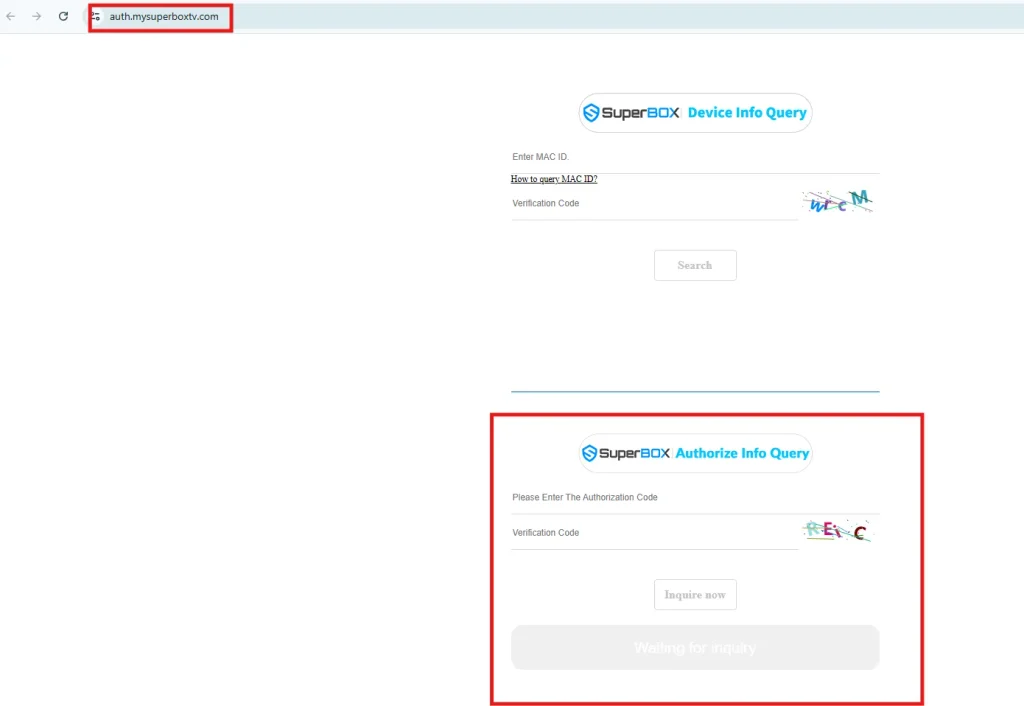
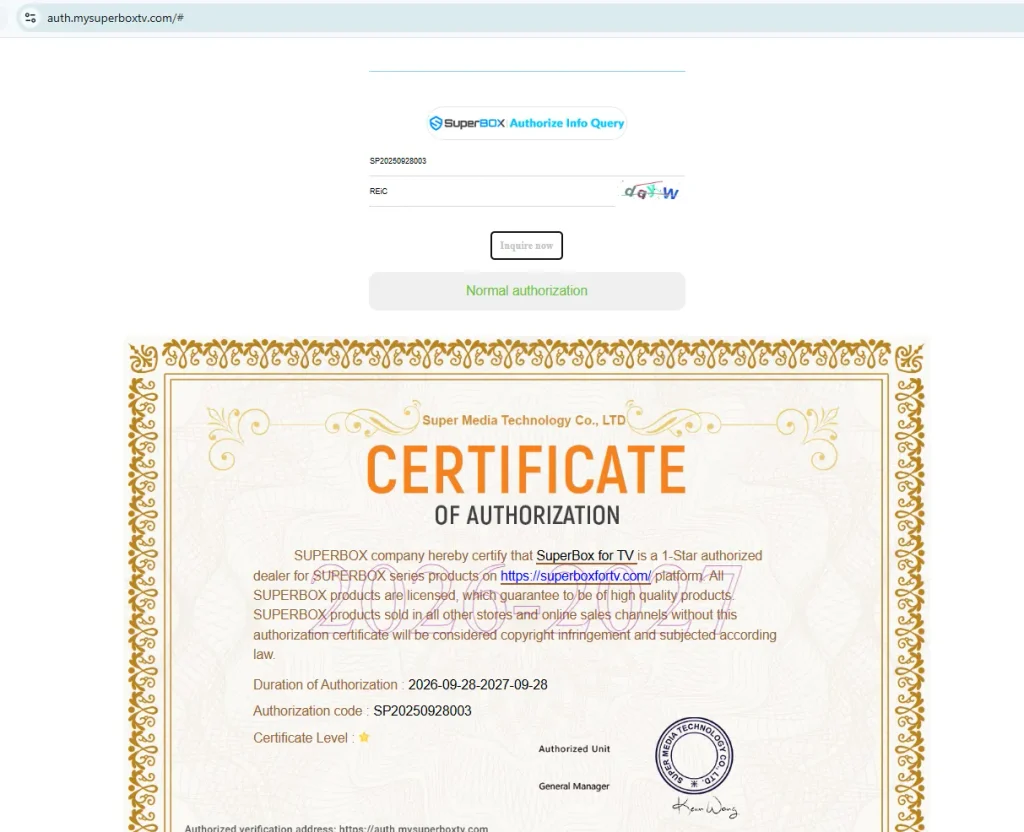
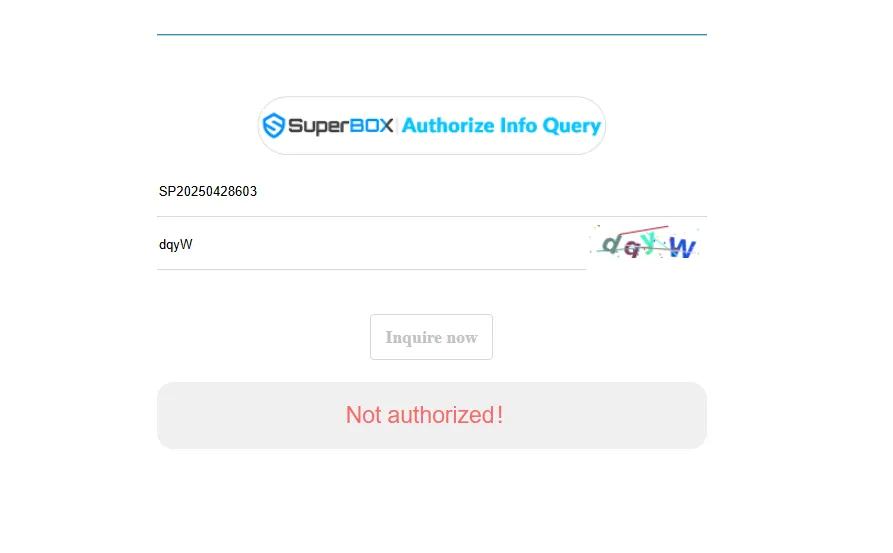
Use this pre-purchase verification checklist to validate any seller:
- Reseller license code check: Request the vendor official reseller code (such as License Code SP20250928003) and verify it on auth.mysuperboxtv.com.
- Direct customer support: Confirm the distributor offers responsive communication via WhatsApp and corporate email desks.
- Transparent pricing compliance: Certified dealers observe minimum advertised price standards ($449 for SuperBox S8 Ultra). Avoid suspicious $199 deals.
- Domestic logistics centers: Authentic sellers operate verified domestic hubs in California and Ontario, ensuring fast delivery.
- Warranty documentation: Legitimate distributors provide valid purchase invoices recognized by manufacturer repair facilities.
Where to buy authentic SuperBox with warranty coverage?
Ordering an authentic console requires purchasing directly through an authorized distributor with verified domestic fulfillment operations.
SuperBox for TV is an authorized SuperBox dealer, ensuring 100% authentic SuperBox S6, S7 & S8 devices with full warranty support in US & Canada.
Every order placed through SuperBox includes official Reseller License Code SP20250928003, verifiable via auth.mysuperboxtv.com.
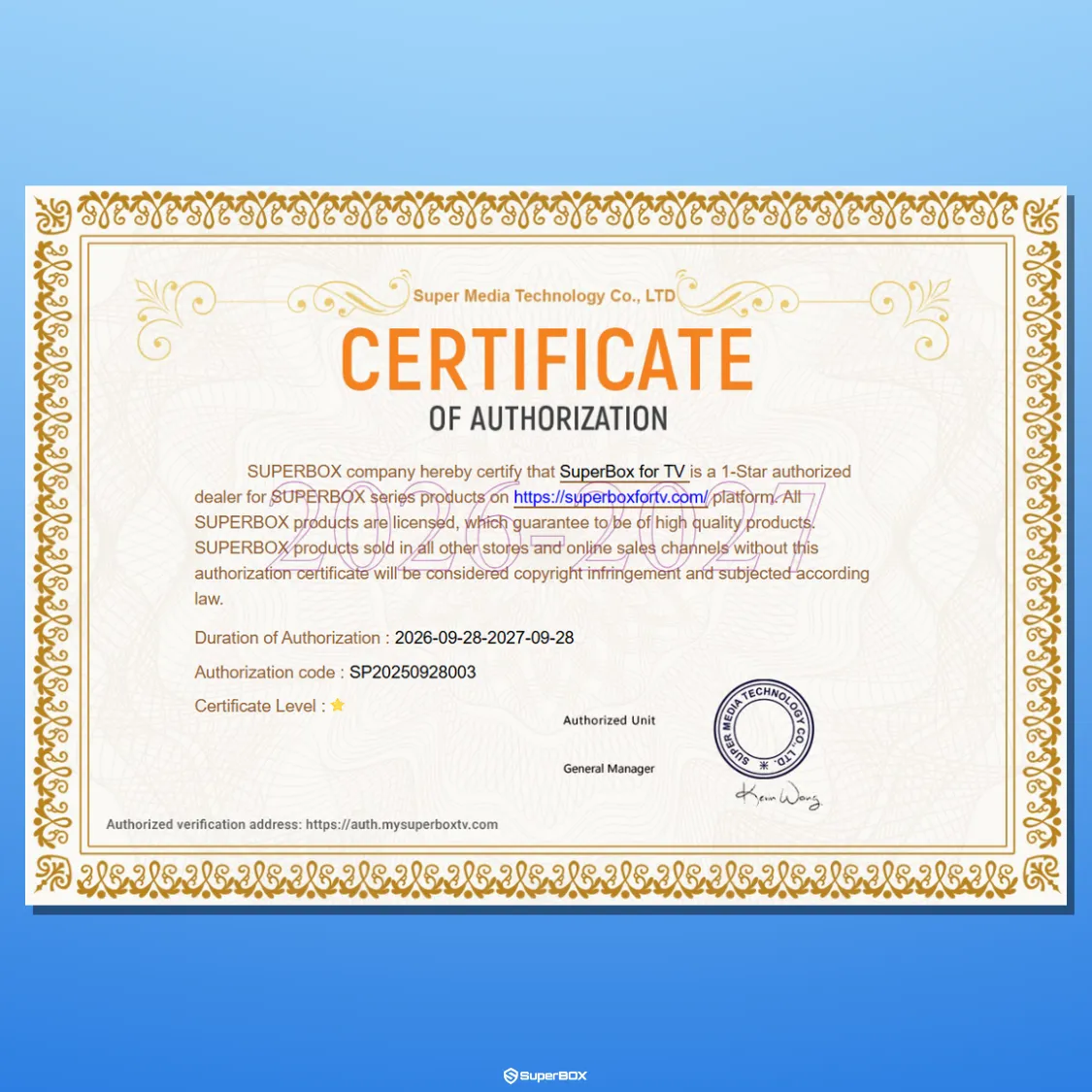
Customers receive an ironclad 1-year 1-to-1 hardware replacement warranty managed through centralized distribution centers in City of Industry, California and North York, Ontario.
Orders ship with fast and free express delivery via FedEx and USPS. Shipments reach United States addresses in 2 to 5 business days and Canadian addresses in 3 to 5 business days.
Every purchase includes a 30-day money-back guarantee and direct support through WhatsApp at +1 (945) 254-2681 and email at support@superboxfortv.com.
For the best home entertainment experience, we recommend the flagship SuperBox S8 Ultra ($449).
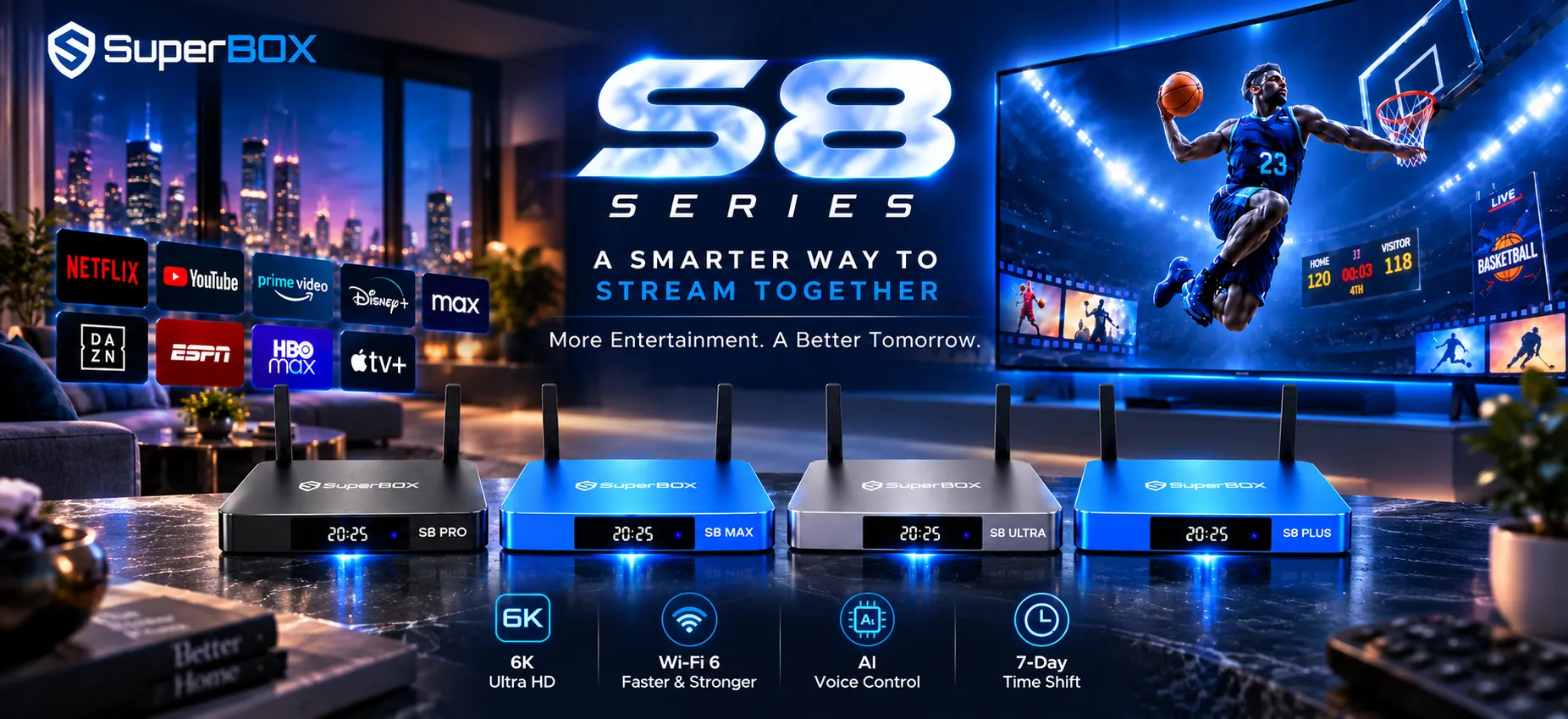
The console features 4GB DDR4 RAM, 128GB eMMC high-speed storage, Gigabit 1000Mbps Ethernet, and Wi-Fi 6 wireless networking.
Its aerospace-grade aluminum chassis keeps operating temperatures at 38.5°C during 4K streaming, saving households $1,200 to $2,000 yearly on cable bills.
Frequently asked questions about fake SuperBox identification
Can a fake SuperBox run official Blue TV apps?
Counterfeit units cannot run official Blue TV applications. SuperBox servers require encrypted handshakes tied to authentic MAC addresses, locking out unauthorized clones.
What happens if you register a fake SuperBox serial number?
Entering a counterfeit serial number into auth.mysuperboxtv.com produces an unrecognized device error, confirming the hardware lacks factory registration and warranty.
Why do clone SuperBox devices overheat quickly?
Clone boxes use lightweight plastic cases without internal thermal heatsinks. Their budget chipsets overheat rapidly, causing severe throttling, buffering, and sudden reboots.
How do you check if a seller has a valid SuperBox authorization code?
Visit auth.mysuperboxtv.com, navigate to Authorize Info Query, and input the seller license code. Legitimate distributors display active certificates and verified store names.
Reader Discussion & Verified Reviews
Real feedback, setup tips, and hands-on impressions from verified SuperBox owners and tech enthusiasts.