

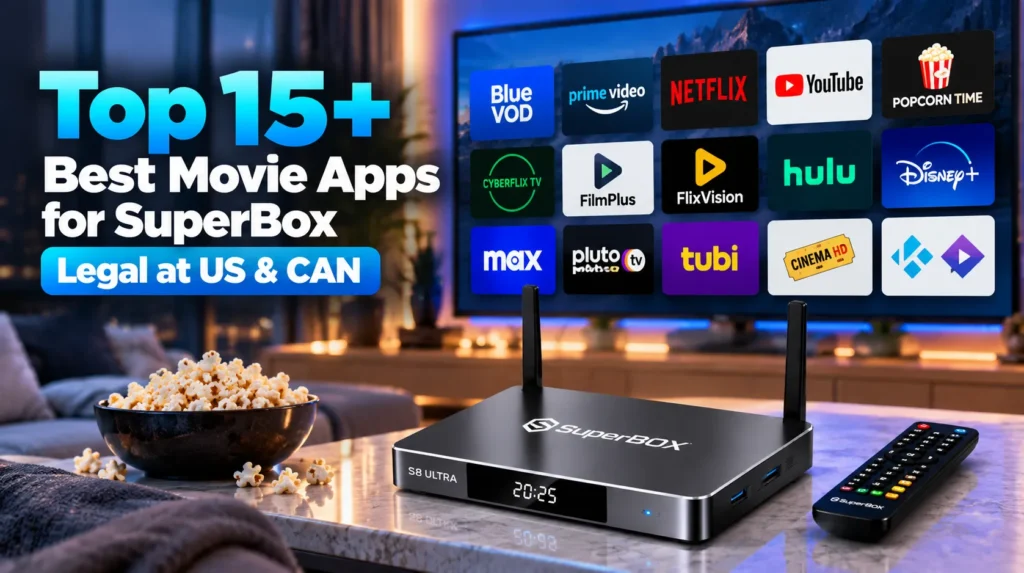
The best movie apps for SuperBox combine native proprietary platforms like Blue VOD and Prime Cinema with certified streaming services and sideloaded media players. Whether operating a flagship SuperBox S8 Ultra, an S7 Max, or an S6 Pro, these applications provide instant access to thousands of 4K films, television series, and on-demand entertainment without requiring monthly subscription packages or complicated software configurations.
Summary
- Blue VOD and Prime Cinema serve as the primary native movie engines on SuperBox, providing over 40,000 on-demand titles with automated daily updates.
- Mainstream certified platforms including Netflix, Disney+, and Max deliver 4K HDR playback directly through Google Play Store integration.
- Open sideloaded applications such as FilmPlus, CyberFlix TV, and FlixVision expand entertainment options through the Downloader utility app.
- Free ad-supported television platforms like Pluto TV and Tubi offer tens of thousands of studio-licensed Hollywood movies completely free of charge.
- Hardware voice control and optimized hardware video decoders ensure smooth, buffer-free playback across all supported Android TV applications.
1. Blue VOD
Blue VOD stands as the primary native video-on-demand platform pre-installed across all official SuperBox receivers, including the S5, S6, S7, and S8 series. Engineered specifically for the hardware architecture of SuperBox devices, Blue VOD provides an intuitive television interface optimized for the included Bluetooth voice remote.
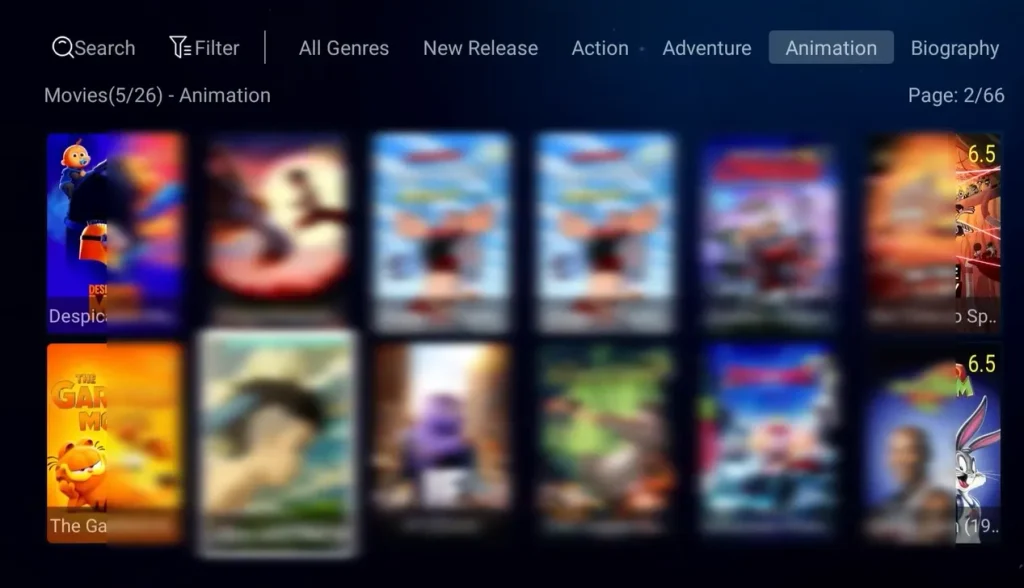
The application features an extensive catalog containing tens of thousands of movies organized into distinct genres:
- New releases, action, drama, thriller, comedy, sci-fi, horror, documentary, and animation.
- Video playback supports high-definition 1080p and 4K Ultra HD streams with multi-channel digital audio output.
- Dedicated subtitle options allow viewers to select closed captions and multiple audio track options across popular international releases.
- Remote control integration allows users to press the voice search button and speak movie titles directly to trigger instant playback.
Blue VOD receives automated cloud catalog updates on a daily basis, ensuring that cinema releases and newly syndicated episodes appear without requiring manual APK updates.
2. Prime VOD
Available exclusively on newer SuperBox generations such as the S6 Ultra, S6 Max, S7 Max, and S8 series, the Prime App Suite introduces dedicated secondary cinema repositories through Prime VOD and Prime Cinema. These companion applications run parallel to Blue VOD, providing alternative server backends and specialized content categories.
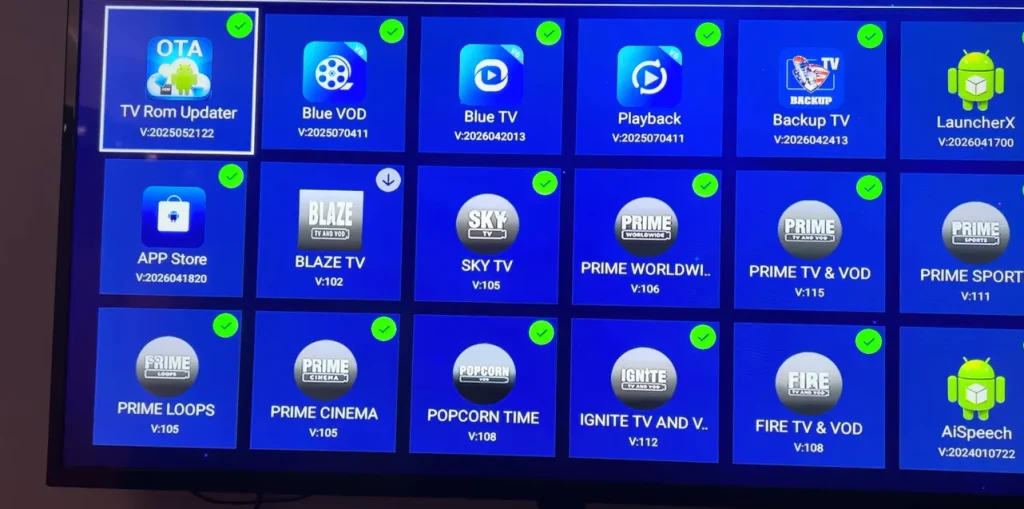
Verified hardware reviews confirm that Prime TV & VOD and Prime Cinema house an impressive database:
- Over 28,680 classic and modern cinema titles spanning seven decades of film history.
- More than 7,699 complete multi-season television series organized with episodic progress tracking.
- Dedicated 4K movie sections optimized for modern high-dynamic-range consumer displays.
- Zero-buffer distributed content delivery networks (CDNs) designed to handle peak evening streaming traffic.
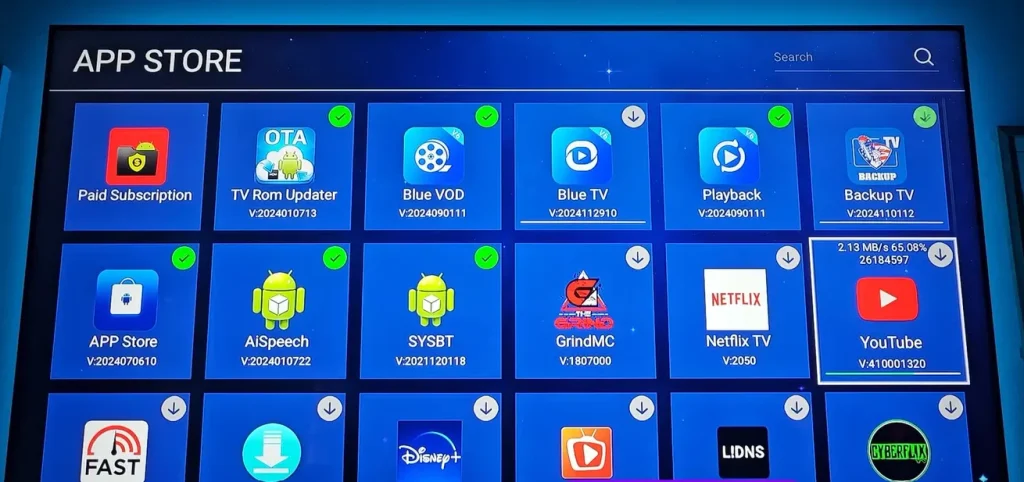
Users can install Prime applications directly from the official SuperBox App Store by locating the green download icons and selecting installation.
3. Netflix
Because SuperBox operates on an open Android television operating system, consumers retain full compatibility with mainstream subscription streaming giants. Netflix can be downloaded directly through the Google Play Store or sideloaded via verified APK repositories.
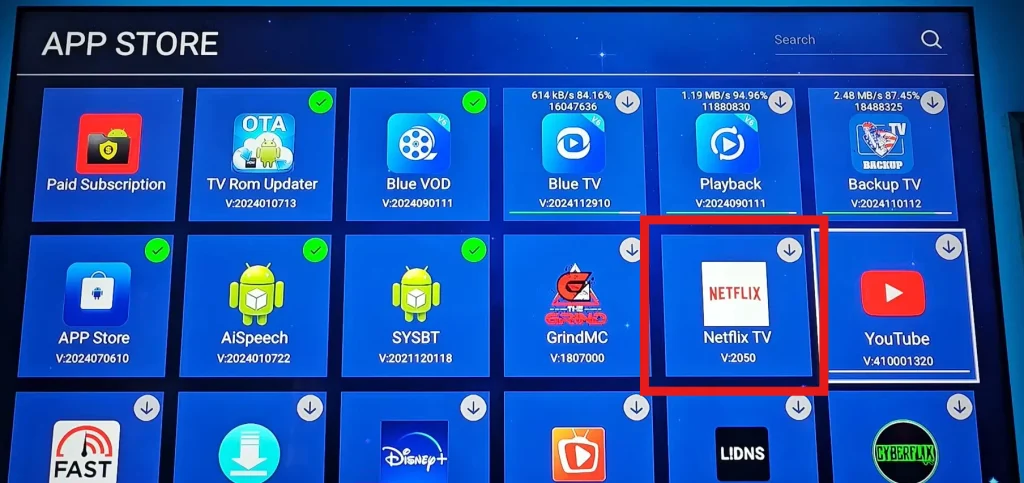
Netflix delivers an unmatched library of critically acclaimed original programming, award-winning documentaries, and major studio theatrical releases:
- High-definition and 4K Ultra HD streaming utilizing advanced HEVC and AV1 compression codecs.
- Personalized multi-user profiles, watchlist synchronization, and algorithmic recommendations.
- Interactive playback controls fully compatible with the SuperBox directional arrow pad and mouse cursor mode.
4. YouTube
YouTube represents the largest digital video platform on the planet, offering full-length indie films, classic cinema, documentaries, and millions of hours of creator-driven entertainment. SuperBox owners can operate the official Android TV YouTube application or install open-source community alternatives like SmartTube.
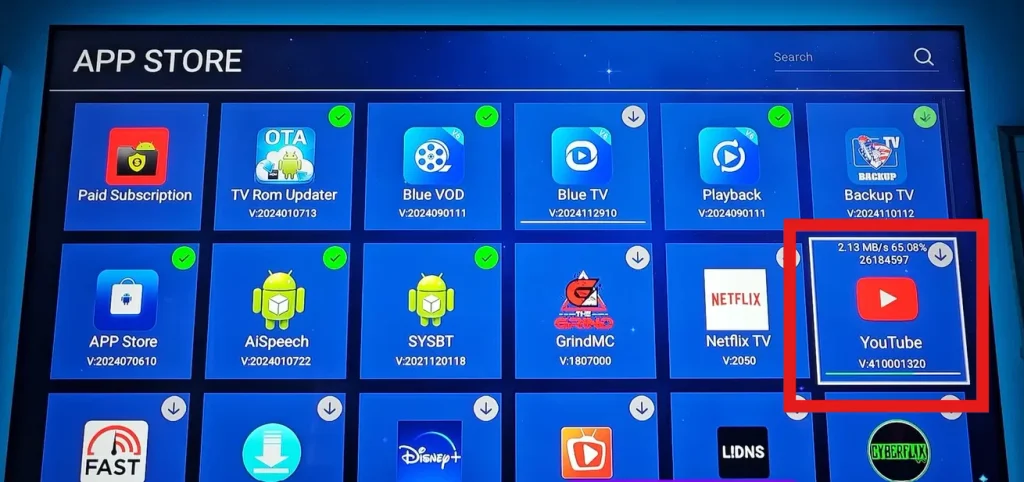
- Native support for 4K video resolution at 60 frames per second with HDR color rendering.
- Voice-activated search through the SuperBox remote microphone for rapid video discovery.
- SmartTube community application provides sponsor segment skipping, background audio playback, and an interface tailored for television remote controls.
5. Popcorn Time
Popcorn Time remains one of the most recognized open-source media streaming clients for Android TV devices. By utilizing BitTorrent network protocols with built-in sequential downloading, Popcorn Time streams video files instantly without requiring users to wait for full downloads to complete.
- Clean, poster-centric user interface resembling mainstream commercial streaming platforms.
- Integrated subtitle retrieval engine offering over 30 international languages.
- Selection of multiple video resolutions ranging from 720p to 1080p high definition based on network bandwidth.
6. CyberFlix TV
CyberFlix TV is a popular third-party streaming scraper application that searches verified online databases for high-speed video streams. Operating smoothly on SuperBox S6, S7, and S8 hardware, CyberFlix TV aggregates links from numerous open host servers.
- Comprehensive Trakt.tv account integration to synchronize watchlists and track viewing history across devices.
- Support for Real-Debrid and premium hosters to unlock high-speed unthrottled 4K server streams.
- Multiple backup stream resolvers ensure that dead links can be skipped with a single click.
7. FilmPlus
FilmPlus is an optimized fork of traditional streaming scraper tools, redesigned with a modern Android TV interface and rapid link scrapers. The app requires minimal system resources, making it exceptionally fast on SuperBox hardware.
- Dedicated Real-Debrid and Premiumize integration for buffer-free playback.
- Integrated internal media player supporting hardware video decoding and aspect ratio customization.
- One-click subtitle downloads powered by OpenSubtitles API.
8. FlixVision
FlixVision has quickly established itself as a leading modern streaming client on SuperBox and Android television hardware. The application aggregates movies, television shows, anime, and live entertainment through a sleek, advert-light user interface.
- Direct installation support through the Downloader app using numerical shortcodes (such as code 3512006).
- Direct stream scrapers that load video feeds within two to three seconds.
- Support for external media players, including VLC Media Player and MX Player.
9. Hulu
Hulu offers a rich library of next-day network television programming, Hulu Original feature films, and studio cinema partnerships. Running effortlessly on SuperBox Android TV hardware, Hulu serves viewers who follow active broadcast releases alongside on-demand libraries.
- Access to current seasons of major American network programming from ABC, FX, and Fox.
- Robust user interface with personalized recommendations and genre browsing.
- Full compatibility with the Google Play Store on certified SuperBox firmware.
10. Disney+
Disney+ is the premier destination for family entertainment, blockbuster franchises, and nature documentaries. Operating on the SuperBox platform, Disney+ brings beloved cinematic universes directly into the living room.
- The complete catalog of Disney, Pixar, Marvel Studios, Star Wars, and National Geographic productions.
- IMAX Enhanced video aspect ratio playback and Dolby Vision HDR compliance.
- Robust parental controls and dedicated kid-safe viewing profiles.
11. Max
Max (formerly HBO Max) consolidates premier theatrical blockbusters, iconic HBO prestige drama series, and Discovery lifestyle programming into a single application.
- Same-year theatrical releases from Warner Bros Pictures and DC Studios.
- Full 4K Ultra HD streaming with Dolby Atmos spatial audio on compatible home theater receivers.
- Stable remote navigation engineered specifically for modern Android TV boxes.
12. Pluto TV
For consumers seeking completely free, 100% legal movie entertainment without entering credit card details or creating accounts, Pluto TV represents an industry-leading free ad-supported television (FAST) platform.
- Hundreds of curated live virtual channels dedicated to specific movie genres, including 80s action, classic westerns, and sci-fi.
- An extensive on-demand movie vault housing thousands of Hollywood films licensed directly from Paramount and major international studios.
- Zero cost and instant installation available from the Google Play Store or APK mirror platforms.
13. Tubi TV
Owned by Fox Corporation, Tubi TV is one of the largest legal free video-on-demand services in North America. It features a massive catalog that rivals paid subscription services in depth and variety.
- Over 50,000 movies and television episodes from studios such as Lionsgate, MGM, Paramount, and Sony Pictures.
- Specialized categories, including cult classics, foreign cinema, martial arts, indie festival features, and family animation.
- Crisp 1080p streaming with minimal commercial interruptions and zero monthly fees.
14. Cinema HD
Cinema HD is a long-standing favorite within the Android streaming community, appreciated for its simplicity and dependable link-scraping performance on SuperBox devices.
- Lightweight APK footprint that consumes minimal RAM and onboard eMMC storage.
- Seamless integration with external players like VLC to handle advanced audio codecs like DTS and Dolby Digital.
- Auto-play next episode and automatic link-resolving capabilities.
15. Kodi and Stremio
For advanced power users who desire complete customization over their streaming environment, open-source media centers provide limitless flexibility:
- Kodi: The definitive open-source home theater software. Users can install official video addons, connect local hard drives over USB 3.0, and stream personal home media libraries through an interface styled for the living room.
- Stremio: A modern, cloud-synchronized media aggregator that organizes movie metadata and utilizes community addons to stream video links with integrated subtitle support.
Comprehensive feature comparison of SuperBox movie apps
Evaluating the primary characteristics of each application helps users choose the optimal streaming configuration for their home setup:
| Application name | Primary content type | Subscription cost model | Installation method | Recommended remote navigation |
|---|---|---|---|---|
| Blue VOD | Movies and complete TV series | Included with SuperBox hardware | Built-in App Store | Bluetooth voice remote |
| Prime VOD & Cinema | Expanded movies and 4K cinema | Included on S6 / S7 / S8 models | Built-in App Store | Bluetooth voice remote |
| Netflix | Originals and theatrical cinema | Monthly paid subscription | Google Play Store / APK | D-Pad remote control |
| YouTube & SmartTube | Web video and creator films | Free / Premium ad-free option | Google Play / Downloader | Voice remote / D-Pad |
| Popcorn Time | Peer-to-peer streaming movies | Completely free open-source | Sideload via Downloader | Air mouse / D-Pad |
| CyberFlix TV | Scraped on-demand movie links | Free with optional Real-Debrid | Sideload via Downloader | D-Pad remote control |
| FilmPlus | Fast-loading movie server streams | Free with optional Real-Debrid | Sideload via Downloader | D-Pad remote control |
| FlixVision | HD movies and international cinema | Free lightweight client | Downloader code 3512006 | D-Pad remote control |
| Hulu | TV broadcast releases and movies | Monthly paid subscription | Google Play Store | D-Pad remote control |
| Disney+ | Marvel, Star Wars, Pixar, Disney | Monthly paid subscription | Google Play Store | D-Pad remote control |
| Max | Warner Bros and HBO originals | Monthly paid subscription | Google Play Store | D-Pad remote control |
| Pluto TV | Legal FAST movies and live channels | 100% Free ad-supported | Google Play Store | D-Pad remote control |
| Tubi TV | 50,000+ Hollywood studio movies | 100% Free ad-supported | Google Play Store | D-Pad remote control |
| Cinema HD | Scraped cinema and TV series | Free with optional Real-Debrid | Sideload via Downloader | D-Pad remote control |
| Kodi & Stremio | Open-source modular media centers | 100% Free open-source | Google Play / Downloader | D-Pad / Air mouse |
Which VOD app is best for SuperBox S8, S7, and S6 users?
The ideal movie app configuration depends on whether you value out-of-the-box simplicity, high-definition streaming stability, or unlimited open-source expansion. For 90% of SuperBox owners, adopting a triple-layer streaming strategy delivers the most reliable entertainment experience:
- Layer 1: The native foundation (Blue VOD + Prime Cinema): Begin every movie search with Blue VOD and Prime Cinema. Because these applications are directly hosted on SuperBox server infrastructure, they offer zero subscription fees, instantaneous voice remote discovery, and curated 4K categories tailored to the hardware.
- Layer 2: Free legal powerhouses (Tubi + Pluto TV): Install Tubi and Pluto TV from the Google Play Store. These platforms supply tens of thousands of licensed Hollywood titles with zero cost, offering an inexhaustible library of classic films and comfort viewing.
- Layer 3: The power user scrapers (FlixVision + FilmPlus): For viewers who want access to indie releases, foreign cinema, or specialized niche titles, sideloading FlixVision or FilmPlus provides redundant streaming sources when a specific title is missing from native catalogs.
How to install and update movie apps on SuperBox?
Installing and updating applications on SuperBox is straightforward thanks to the open Android environment and dedicated app store utilities.
Installing apps through the SuperBox App Store?
The official SuperBox App Store provides verified, pre-configured software optimized for the device:
- Power on your SuperBox and navigate to the home screen.
- Select the App Store icon (represented by the green circular logo).
- Browse the application grid to locate Blue VOD, Prime Cinema, or other dedicated packages.
- Highlight the desired application and press OK on your remote to begin automated download and installation.
- Once installation finishes, a green checkmark will appear over the icon. Return to the home screen to launch your app.
Downloading certified apps via Google Play Store?
For mainstream commercial applications like Netflix, YouTube, Pluto TV, and Tubi:
- Open the Google Play Store from your home screen or application drawer.
- Log in with your standard Google account credentials.
- Use the on-screen search bar or remote voice input to find the application.
- Select Install to download the verified television version directly to your storage drive.
Sideloading movie APKs using the Downloader app?
To install specialized third-party streaming clients not found in standard app stores:
- Open the SuperBox App Store and install the Downloader utility app.
- Open Downloader and grant storage permissions when prompted.
- In the URL or numerical code box, enter the direct download code (for example, enter `3512006` to download FlixVision).
- Allow the file to download, select Install, and confirm permissions for unknown sources under Settings > Security & Restrictions if prompted.
- Click Done and delete the temporary APK installer file to preserve internal storage space.
How to optimize SuperBox for buffer-free 4K movie playback?
To ensure consistent 4K Ultra HD playback without buffering or frame drops, apply these essential home entertainment configurations:
- Gigabit wired Ethernet connection: While SuperBox S7 and S8 models feature dual-band Wi-Fi 6, connecting directly to your home router with a Cat 6 Gigabit Ethernet cable provides the lowest latency and eliminates wireless radio interference.
- Dedicated guest network isolation: Connecting your streaming receiver to an isolated guest Wi-Fi network keeps media streaming separate from household data backups, smart home cameras, and computer downloads.
- Periodic cache clearance: Streaming applications store temporary playback data in volatile memory. Access Settings > Apps > Blue VOD (or relevant app) > Clear Cache once every few weeks to maintain peak system responsiveness.
- Utilize an encrypted VPN: If your residential internet service provider throttles streaming protocols during peak evening hours, installing an encrypted VPN prevents ISP network shaping and keeps streams running smoothly.
Frequently asked questions about SuperBox movie apps?
Do you need a subscription to watch movies on SuperBox?
You do not need a subscription to watch movies on SuperBox when using native applications like Blue VOD and Prime Cinema, or free platforms like Tubi and Pluto TV. These services provide unlimited on-demand movies included with the hardware purchase. You only require a subscription if you choose to install optional premium third-party apps like Netflix or Disney+.
How often is the Blue VOD movie library updated?
The Blue VOD movie library is updated automatically on a daily basis through cloud server synchronization. Newly released films, box office additions, and recent television episodes populate the menu without requiring users to reinstall the application or update device firmware.
Can you use voice search to find movies across apps on SuperBox?
The included Bluetooth voice remote allows you to search for movie titles, actors, and genres directly through the microphone. In native apps like Blue VOD, pressing the voice button and speaking the movie name instantly filters the on-screen library to matching titles.
What should you do if a movie app buffers or fails to load streams?
If a movie application buffers, first verify your internet connection speed using an integrated network test tool. If bandwidth is sufficient, switch the video stream source within the movie player menu, clear the application cache under system settings, or restart your SuperBox and home router.
Where can you buy an authentic SuperBox with official VOD apps pre-installed?
Always purchase directly through the authorized North American distributor at SuperBox for TV to guarantee you receive authentic hardware with genuine serial numbers, pre-configured Blue VOD access, domestic customer service, and an official 1-year replacement warranty.
Reader Discussion & Verified Reviews
Real feedback, setup tips, and hands-on impressions from verified SuperBox owners and tech enthusiasts.