

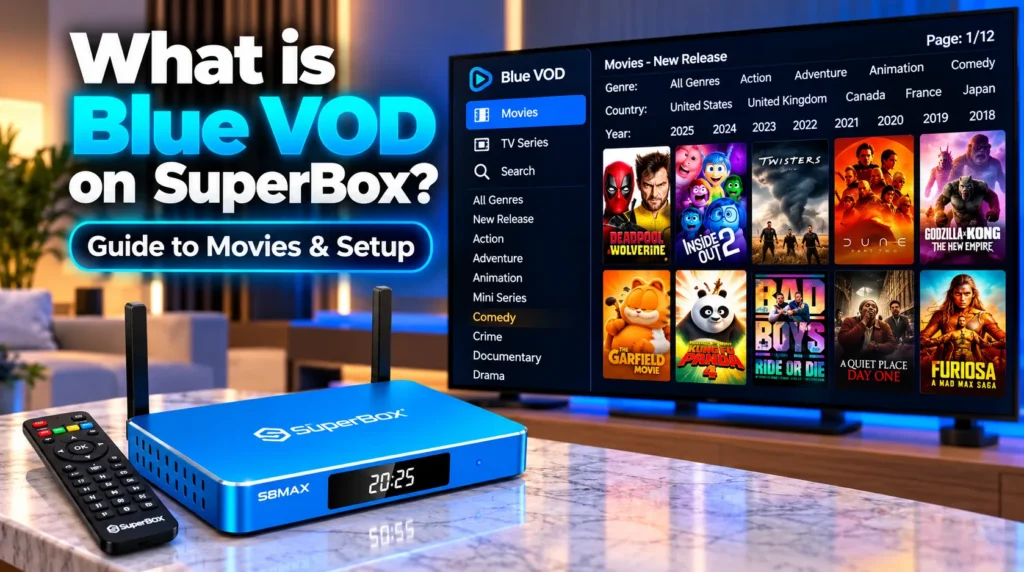
Blue VOD is the proprietary video-on-demand streaming platform pre-installed on SuperBox Android media players, delivering access to over 20,000 movies and complete multi-season television series without monthly subscription fees. Engineered specifically for SuperBox hardware, the application features daily cloud library updates, 4K Ultra HD playback, Bluetooth voice search, multi-language subtitle customization, and cloud-synced resume tracking.
| Core Feature | Specification | Viewer Benefit |
|---|---|---|
| Content Catalog | Over 20,000 movies and multi-season TV series | Eliminates multiple paid on-demand streaming subscriptions |
| Video Resolution | 4K Ultra HD, 1080p Full HD, and 720p HD | Playback matched to display and internet speed |
| Cloud Updates | Daily automated server-side catalog additions | New releases appear without manual app updates |
| Voice Search | Bluetooth remote voice recognition | Find titles, actors, or genres instantly by speaking |
| Subtitle Engine | Multi-language captions with font and color options | Ideal for international viewers and dialogue clarity |
| Progress Memory | Automatic timestamp resume tracking | Resume right where you left off with one click |
| Storage Architecture | 100% transient RAM buffering | Zero internal storage consumed |
What is Blue VOD on SuperBox and how does it work?
Blue VOD is the central on-demand entertainment library of the SuperBox operating environment. Unlike commercial streaming platforms that charge monthly fees and scatter content across multiple apps, Blue VOD comes fully integrated with genuine SuperBox hardware.
While Blue TV handles real-time live broadcast channels and live sports, Blue VOD focuses exclusively on non-linear entertainment:
- Feature films across every Hollywood genre — from contemporary blockbusters to classic cinema
- Complete multi-season television series with automated episode tracking
- Children’s animation, family entertainment, and nature documentaries
- International cinema with localized subtitle tracks
Blue VOD operates through a cloud-streaming infrastructure that connects your console to high-capacity content delivery networks. When launched, the app contacts servers to refresh movie posters, cast metadata, IMDb ratings, and newly added titles. Dynamic stream routing evaluates your connection speed and delivers video through the optimal bandwidth nodes to prevent buffering. The onboard processor and GPU decompress H.264, HEVC (H.265), and AV1 streams in real time, delivering up to 4K resolution at 60fps via HDMI 2.1. Video buffers exclusively in volatile RAM — internal flash storage is never written to during streaming.
What features does Blue VOD offer?
Voice search and remote navigation
On SuperBox S7 and S8 models, the Bluetooth voice remote eliminates typing on virtual keyboards:
- Hold the microphone button on your remote
- Speak the movie title, TV series name, lead actor, or director — for example “Inception” or “Tom Cruise”
- Release the button and Blue VOD filters the catalog to display matching titles within two seconds
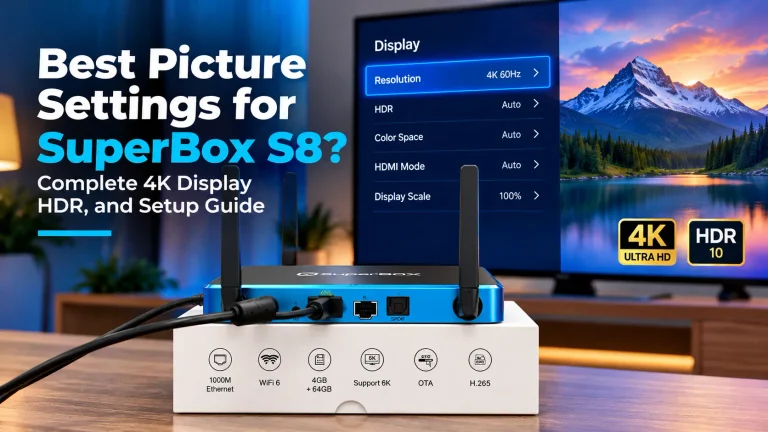
4K Ultra HD and HDR playback
Blue VOD organizes content into clear resolution tiers. 1080p HD streams provide reliable performance for standard broadband connections, while dedicated 4K Ultra HD categories deliver rich contrast and wide color gamuts on compatible 4K displays.
Multi-language subtitle engine
- Press Menu on your remote during playback to open the subtitle settings overlay
- Choose from dozens of integrated subtitle languages — English, Spanish, French, Chinese, and more
- Adjust font size, text color, background transparency, and subtitle timing to match dialogue accurately
Resume tracking and favorites
Blue VOD automatically remembers your viewing position. If you pause a movie or exit mid-episode, the app saves your progress marker — press Play again to resume with one click from the Continue Watching row. Press the Star button on any title to add it to your personal Favorites shelf for quick family access.
What content is available in Blue VOD?
Content inside Blue VOD is organized into clear horizontal rows and vertical genre categories:
- New releases: Latest theatrical films and direct-to-streaming releases added within the past thirty days
- 4K cinema: High-bitrate streams optimized for 4K displays
- TV series: Complete multi-season shows organized by season and episode — from classic sitcoms to prestige dramas
- Genre vaults: Dedicated categories for action, comedy, horror, sci-fi, romance, thrillers, westerns, and documentaries
- Kids and family: Animated features, educational programming, and family-friendly movies
- Multi-filter search: Filter titles simultaneously by release year, country of origin, genre, or IMDb rating
How does Blue VOD compare to Blue TV and the Playback app?
| Application | Primary Focus | Content Scope | Storage Needed |
|---|---|---|---|
| Blue VOD | On-demand movies and TV series | 20,000+ titles — updated daily | 0 GB — RAM buffered |
| Blue TV | Real-time live broadcast | 1,800+ live feeds — 24/7 | 0 GB — RAM buffered |
| Playback | 7-day cloud DVR catch-up | 86+ major networks — 168-hour archive | 0 GB — cloud hosted |
Blue TV delivers live scheduled broadcasts and sporting events. If you miss a scheduled live broadcast from earlier in the week, launch Playback to catch up across 86+ major networks. Blue VOD provides commercial-free on-demand movies and series at any time.
How do you install, launch, and update Blue VOD?
Three ways to launch Blue VOD
- Home screen tile — click the Blue VOD icon on the home launcher and press OK
- Voice command — hold the microphone button on your Bluetooth remote, speak “Blue VOD”, and release
- Remote shortcut — press the dedicated green button on modern SuperBox remotes to open Blue VOD directly
How to install or reinstall Blue VOD
- Open the App Store icon on your SuperBox home screen
- Locate the Blue VOD tile — for example Blue VOD V8 on S8 models
- Press OK to begin automated download and installation
- After installation, a shortcut is added automatically to your home launcher
How to update Blue VOD
While movie catalogs update automatically on cloud servers, app improvements arrive through the App Store:
- Open the App Store from your home screen
- If an update is available, the Blue VOD tile displays an update badge
- Click Update to install the newest version — your Favorites and watch history are preserved
How do you troubleshoot common Blue VOD issues?
- Spinning circle or loading stall: Press Back once, confirm the exit prompt, and press Play again to re-negotiate the server connection. If the issue persists, unplug the power cord for ten seconds then restart
- Cache buildup: Navigate to Android Settings > Apps > Blue VOD > Clear Cache to remove temporary thumbnail files. Avoid selecting Clear Data unless you want to reset Favorites and watch history
- Buffering: Connect via wired Gigabit Ethernet to avoid Wi-Fi interference. If your ISP throttles video streams during peak hours, an encrypted VPN can restore full streaming speed
Frequently asked questions
Do I have to pay a monthly fee for Blue VOD?
No. Blue VOD requires no monthly subscription fees, rental charges, or recurring costs. Access is included with the purchase of genuine SuperBox hardware and authenticated via device MAC address.
Can I download movies from Blue VOD for offline viewing?
No. Blue VOD is a real-time cloud streaming service that buffers video in RAM without saving files to disk. To watch offline, transfer content to a USB flash drive and play using VLC for Android.
Why do some newly released movies have CAM or HD tags?
When theatrical films first release, early versions may be tagged by quality indicator. Once studio digital master feeds become available, the cloud backend automatically replaces early versions with clean 1080p and 4K Ultra HD copies.
How often is the Blue VOD library updated?
The Blue VOD catalog updates daily on cloud servers, adding newly released theatrical films, current television episodes, and classic cinema without requiring manual app updates.
What internet speed does Blue VOD need?
A steady 15 to 25 Mbps connection is recommended for standard 1080p HD streaming. For 4K Ultra HD titles, 40 to 50 Mbps over wired Ethernet provides optimal buffer-free playback.
Reader Discussion & Verified Reviews
Real feedback, setup tips, and hands-on impressions from verified SuperBox owners and tech enthusiasts.