

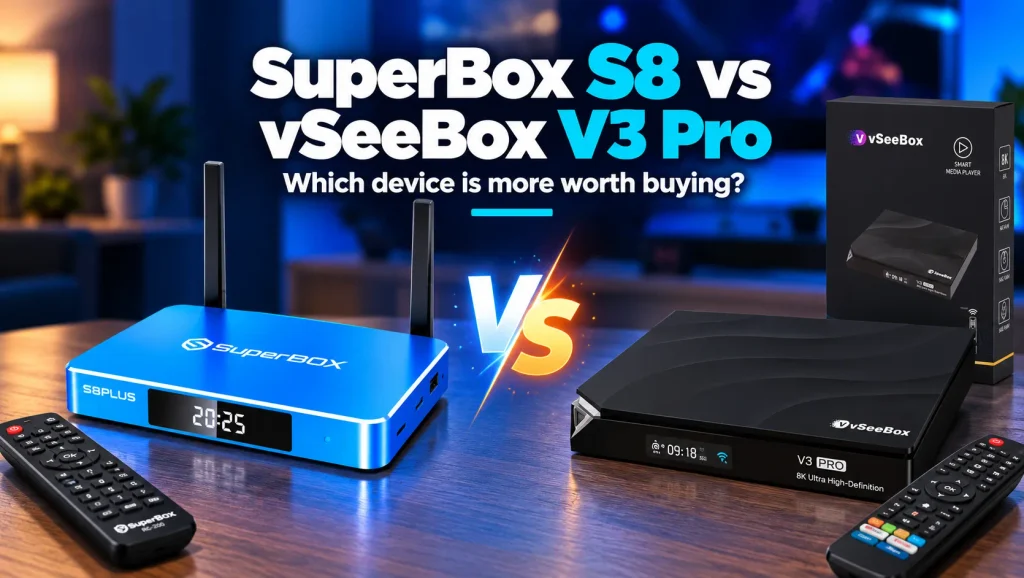
Deciding between the SuperBox S8 and the vSeeBox V3 Pro comes down to hardware construction, network throughput, storage headroom, and live broadcast reliability. Both streaming devices eliminate recurring monthly subscription fees, but their underlying engineering caters to distinct viewing priorities.
The SuperBox S8 series leads in physical durability with an anodized aluminum cooling enclosure, 1000Mbps Gigabit Ethernet, up to 128GB storage, and an illuminated backlit remote. The vSeeBox V3 Pro provides a capable streaming platform with multi-view features inside a compact plastic shell with a 100Mbps Ethernet port.
This comprehensive guide breaks down hardware benchmarks, network capabilities, thermal performance, and community feedback across both models. Review this head-to-head analysis to determine which cord-cutting console best powers your home entertainment setup.
Core differences between SuperBox S8 and vSeeBox V3 Pro
Both devices serve as subscription-free Android streaming hubs, but their engineering philosophies differ substantially:
- SuperBox S8 Series: Prioritizes premium build quality, thermal endurance, and high-speed data flow. Hardware highlights include aluminum alloy enclosures, true Gigabit Ethernet, up to 128GB internal storage, and optimized Blue TV broadcast delivery.
- vSeeBox V3 Pro: Emphasizes software-driven navigation and customizable multi-channel layouts. It houses 64GB storage and a 100Mbps Fast Ethernet port inside a lightweight polycarbonate chassis running the HEAT streaming suite.
Quick comparison of technical specifications
| Technical Feature | SuperBox S8 Series | vSeeBox V3 Pro |
|---|---|---|
| Operating System | Android 12 AOSP | Android 11 AOSP |
| Processor Architecture | Quad-Core 64-bit ARM Cortex | Quad-Core 64-bit ARM Cortex |
| System Memory | 4GB DDR4 High-Bandwidth RAM | 4GB DDR3 RAM |
| Internal Storage | Up to 128GB eMMC Flash Drive | 64GB eMMC Storage |
| Chassis Enclosure | Heavy-Duty Anodized Aluminum | Polycarbonate Plastic Housing |
| Ethernet Port | 1000Mbps Gigabit RJ45 | 100Mbps Fast Ethernet RJ45 |
| Wireless Networking | Wi-Fi 6 with Dual External Antennas | Wi-Fi 6 with Internal Antennas |
| Remote Control | Backlit Bluetooth Voice Remote | Ergonomic Bluetooth Voice Remote |
| Video Decoding | Up to 6K at 60fps / 4K HDR10 | Up to 6K at 60fps / 4K HDR10 |
| Monthly Subscription | Zero Monthly Fees Forever | Zero Monthly Fees Forever |
Hardware build and thermal dissipation performance
Thermal management plays a crucial role in maintaining performance and extending the lifespan of streaming consoles during marathon viewing sessions:
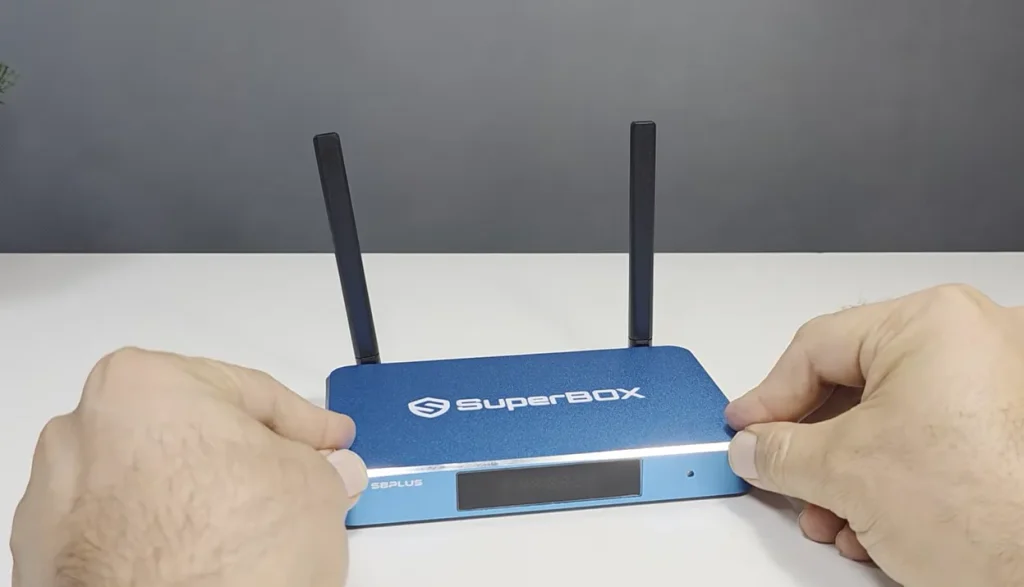
- SuperBox S8 thermal design: Encased in heavy-duty anodized aluminum alloy housings with integrated passive cooling fins. Metal naturally conducts heat away from internal processors, maintaining operating temperatures below 38.5 degrees Celsius during extended live 4K streams.
- vSeeBox V3 Pro construction: Housed inside a standard polycarbonate plastic casing. Plastic functions as an insulator, retaining internal heat around system chipsets during multi-hour sporting events and increasing the likelihood of thermal throttling.
- Physical durability advantage: The metal housing on the SuperBox S8 shields against accidental impacts and provides electromagnetic protection against ambient wireless interference in busy entertainment centers.
Internal storage and system memory capacity
Internal storage capacity determines how many streaming applications, software updates, and recorded broadcasts your console can store without external drives:
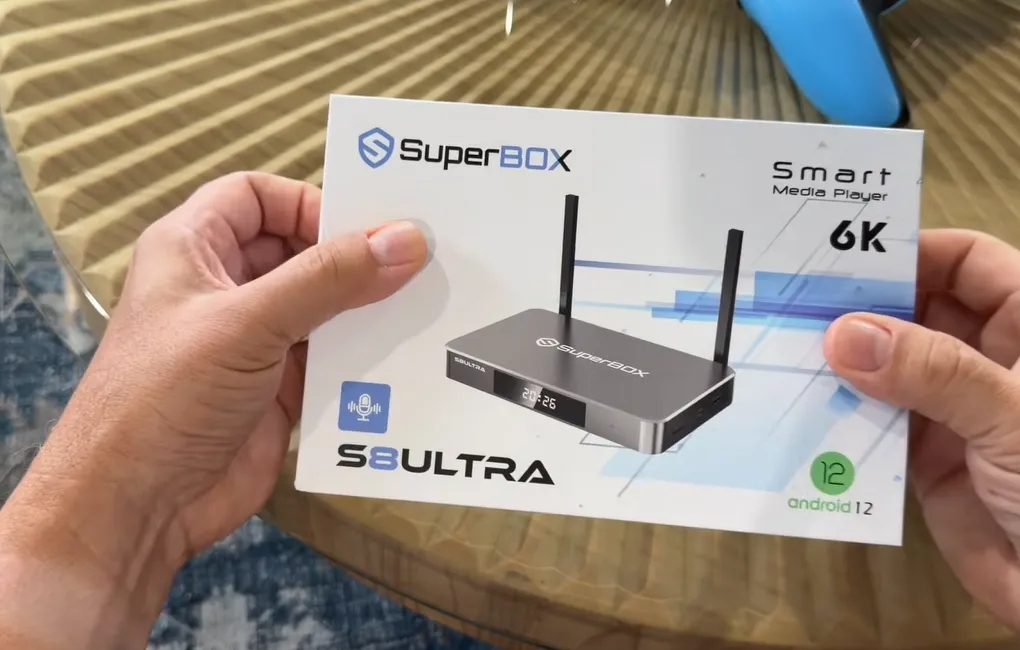
- SuperBox S8 storage headroom: The flagship S8 Ultra provides a generous 128GB of high-speed eMMC storage, while the S8 Max offers 64GB. The 128GB capacity leaves abundant room for offline media libraries, large APK installations, and hours of native television recordings.
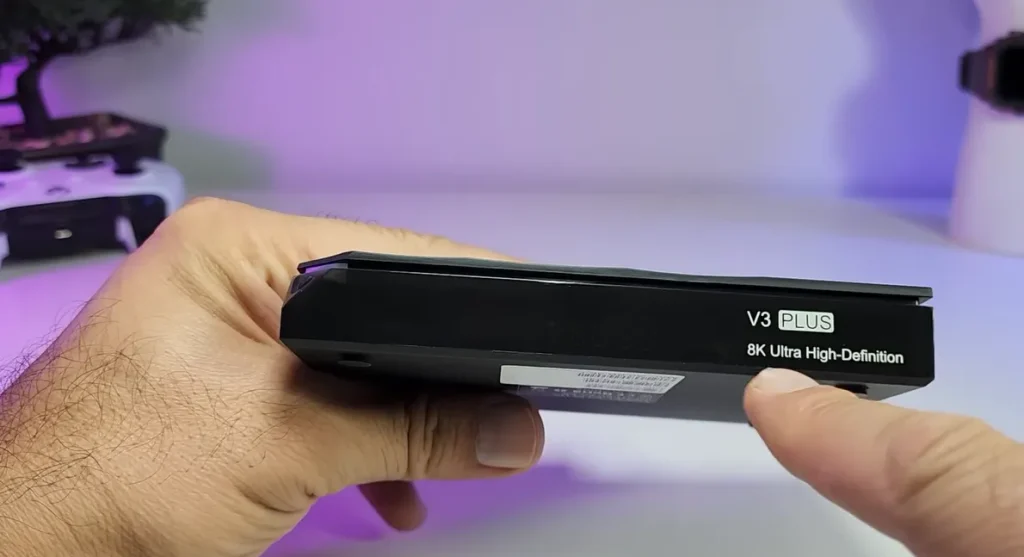
- vSeeBox V3 Pro storage limits: Equipped with 64GB of internal storage. While adequate for casual streaming, running multiple demanding applications alongside accumulated video caches can trigger storage warnings over extended ownership.
- Memory bandwidth: SuperBox S8 consoles utilize modern low-latency DDR4 RAM, ensuring faster application launch times, responsive menu transitions, and fluid channel navigation compared to older DDR3 memory modules.
Network connectivity and Ethernet bandwidth
Network throughput directly influences video buffer times and channel switching speed, especially when decoding high-bitrate live broadcasts:
- SuperBox S8 Gigabit Ethernet: Equipped with a 1000Mbps Gigabit RJ45 port. This allows the console to utilize gigabit fiber home internet connections without speed limits, eliminating network bottlenecks during peak traffic broadcasts.
- vSeeBox V3 Pro network constraint: Features a 100Mbps Fast Ethernet port, capping wired data speeds at 100 Mbps regardless of your household broadband speed.
- Wireless antenna design: SuperBox S8 incorporates dual high-gain external antennas supporting Wi-Fi 6, maintaining stable 5GHz signals through walls where internal antenna configurations often drop packets.
Live TV streaming channels and server stability
Live sports and entertainment streaming reliability during major broadcast events separates premium streaming consoles from budget alternatives:
- SuperBox Blue TV infrastructure: Supported by dedicated global content distribution networks. The platform offers over 2,000 live broadcast networks, regional sports feeds, and premium movie channels with reliable server uptime during championship games.
- vSeeBox HEAT Live ecosystem: Delivers an extensive library of live broadcasts and on-demand titles through HEAT applications. While channel selection is competitive, community reports note occasional channel freezing and buffering during peak live traffic.
- Redundant cloud backups: SuperBox provides integrated Backup TV applications, ensuring alternative broadcast feeds remain readily accessible whenever a primary channel source undergoes maintenance.
To optimize your daily viewing experience, check out our helpful guides on how to watch live tv on superbox, how to use multi screen on superbox, and how to clear cache on superbox.
Video comparison between SuperBox and vSeeBox streaming boxes
Independent video reviewers have compared SuperBox and vSeeBox consoles head to head to evaluate setup ease, channel responsiveness, and daily usability. Watch this comprehensive overview by TWiz to explore their key practical differences.
Remote control usability and interface navigation
The handheld remote control serves as your primary navigation tool for daily living room entertainment:
- SuperBox RC-2000L remote: Highlights full-button backlighting that illuminates automatically in dark home theater rooms. It features a full numeric keypad for direct channel number entry, dedicated shortcut buttons for Blue TV and Blue VOD, and a fast settings overlay key.
- vSeeBox V3 Pro remote: Features an ergonomic grip with Bluetooth voice controls. However, it lacks dedicated numeric keypad buttons, requiring viewers to scroll through on-screen guide menus to find specific channels.
Community insights from Reddit and Facebook groups
Discussions across Reddit and Facebook streaming communities offer valuable real-world perspectives on long-term hardware reliability:
- App maintenance routines: Users on Reddit note that vSeeBox HEAT apps occasionally require manual cache clearing or application reinstallation to resolve unexpected black screens or playback freezes.
- Network security practices: Experienced community members recommend connecting third-party streaming consoles to a dedicated guest Wi-Fi network to keep home computers and personal data isolated.
- Long-term heat dissipation: Owners highlight that the aluminum casing of the SuperBox S8 remains noticeably cooler during multi-hour football watch parties compared to plastic streaming boxes.
Choosing the best cord-cutting investment for your home
Selecting the right streaming console comes down to your personal entertainment preferences:
- Consider the vSeeBox V3 Pro if you want customizable multi-view configurations and do not mind a plastic casing or a 100Mbps Ethernet ceiling.
- Choose the SuperBox S8 if you demand rugged aluminum cooling, 1000Mbps Gigabit networking, 128GB internal storage, a backlit remote with numeric keypad, and rock-solid live broadcast stability.
For viewers seeking peak streaming quality, we recommend upgrading to the flagship SuperBox S8 Ultra ($449). Featuring on-device AI video upscaling and dedicated broadcast recording, it represents the most complete home entertainment console available.
Why purchasing from an authorized dealer matters
Buying your streaming hardware through an authorized distributor guarantees authentic hardware, certified server activation, and full warranty coverage. Unofficial sellers frequently distribute modified units that lack official technical support.
Order directly through SuperBox Store to receive factory-sealed hardware backed by verified consumer protections:
- Free Shipping: Fast 3 to 5 business day delivery across the United States and Canada with full real-time package tracking.
- Free Lifetime Tech Support: Dedicated technical specialists available 24/7 via live chat, email, and phone for troubleshooting assistance.
- 30-Day Money-Back Guarantee: Hassle-free return policy if you are not completely satisfied with your streaming hardware performance.
- 1-Year Manufacturer Warranty: Full replacement coverage safeguarding against any hardware defects or system component failures.
- 100% Authentic Hardware: Direct factory units guaranteed genuine without modified firmware, unauthorized alterations, or security risks.
SuperBox for TV is an authorized SuperBox dealer, ensuring 100% authentic SuperBox S6, S7 & S8 devices with full warranty support in US & Canada.
Frequently asked questions about SuperBox S8 and vSeeBox V3 Pro
Does the SuperBox S8 require recurring subscription fees
No. SuperBox S8 hardware requires zero monthly subscription fees or ongoing contracts. Connecting the device to high-speed internet provides access to Blue TV live networks, Blue VOD titles, and 7-day playback without recurring charges.
Why does a 1000Mbps Gigabit port outperform a 100Mbps port
A 1000Mbps Gigabit Ethernet port provides ten times the data bandwidth of a 100Mbps port. This extra capacity prevents home network bottlenecks and ensures instantaneous buffer-free streaming during high-bitrate live 4K broadcasts.
Can you record live television on the SuperBox S8
Yes. The SuperBox S8 Ultra includes one-click broadcast recording directly to its 128GB internal storage drive, giving viewers complete DVR convenience without monthly cloud recording fees.
Is the backlit remote useful for living room viewing
Yes. The RC-2000L backlit remote illuminates all buttons in dark viewing rooms, allowing users to navigate channels, adjust volume, and enter numeric channel numbers without turning on room lighting.
Reader Discussion & Verified Reviews
Real feedback, setup tips, and hands-on impressions from verified SuperBox owners and tech enthusiasts.